
E-Scooter Website Design
An immersive 3D interactive website that showcases e-scooters in a dynamic way.
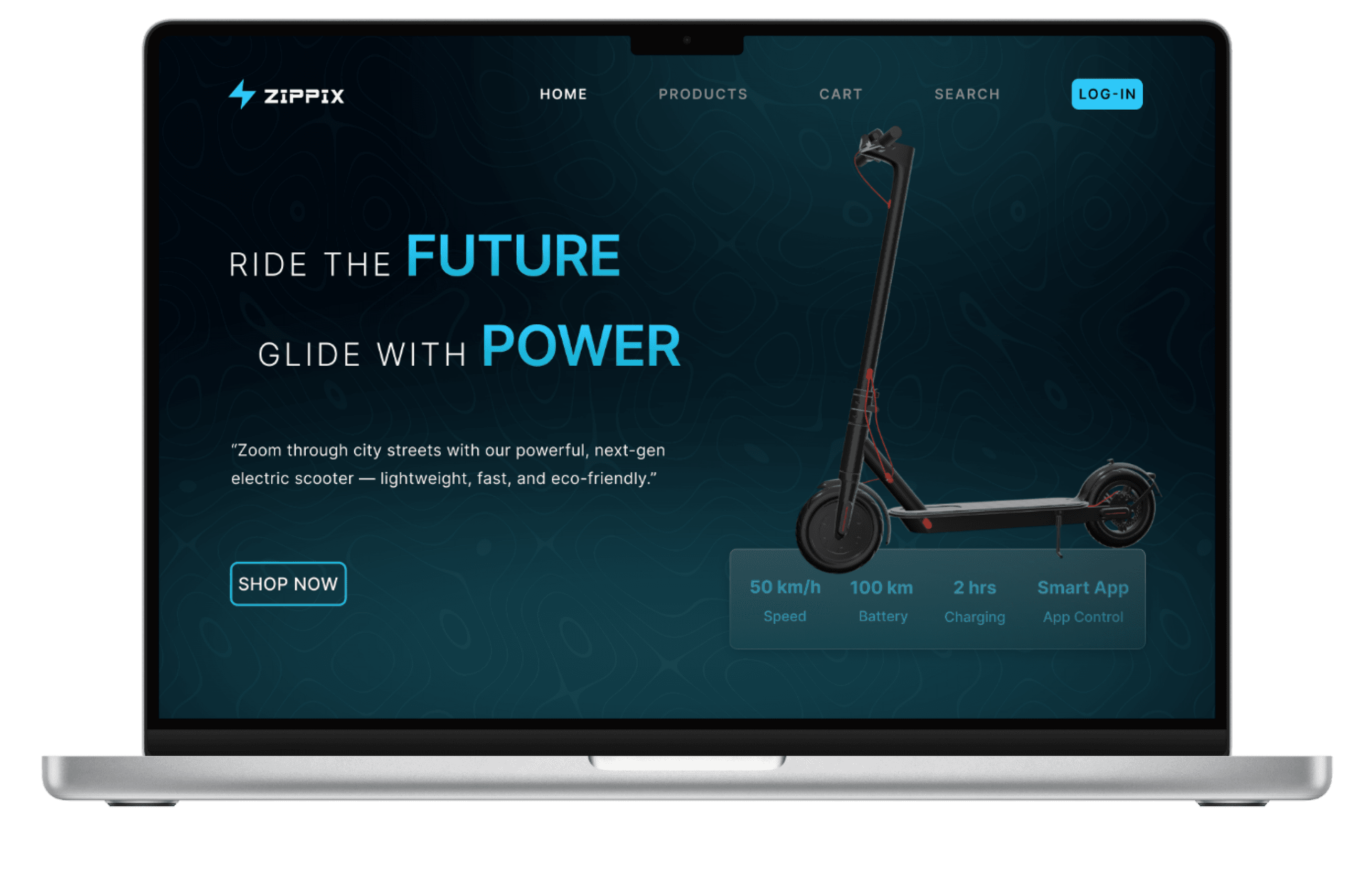
Overview
The E-Scooter Website is an interactive e-commerce platform that offers a 3D browsing experience. It allows users to explore, interact with, and purchase e-scooters through an engaging and visually dynamic interface.
Type
Personal / Concept Project
Project Duration
1 Month
My Role
Researcher
Designer
Tools
Figma
Notion
Blender
Dora
Chatgpt
YouTube
Process
3
Wireframe
1
Research
2
Ideation
4
Animation
5
Final Design
Problem Statement
“Modern websites often struggle to engage users through static visuals. I wanted to explore how 3D animation and micro-interactions can create a more immersive experience.”
Goal Statement
To design a visually appealing, scroll-based website featuring smooth 3D animations and interactive transitions that enhance user engagement. The goal was to create an immersive experience that feels dynamic and modern while maintaining clarity, accessibility, and a strong visual hierarchy throughout the design.
Research
When I began this project, I was fascinated by how brands like Apple use smooth 3D animations on their websites to create immersive experiences. I discovered a YouTube video where the creator explained how Apple achieves these 3D effects — not by directly adding 3D models, but by using Blender animation sequences exported as PNG frames to simulate 3D motion on the web. This method sparked my curiosity and made me realize that complex motion design can be achieved without heavy coding.

DesignWithArash
After understanding this technique, I spent nearly two days exploring further, asking ChatGPT for guidance and searching for detailed tutorials. Finally, I found a comprehensive video that clearly explained how to create a 3D animation in Blender and integrate it into a Dora project. This discovery became the turning point of my research and formed the foundation of my experiment in blending design, animation, and interactivity.
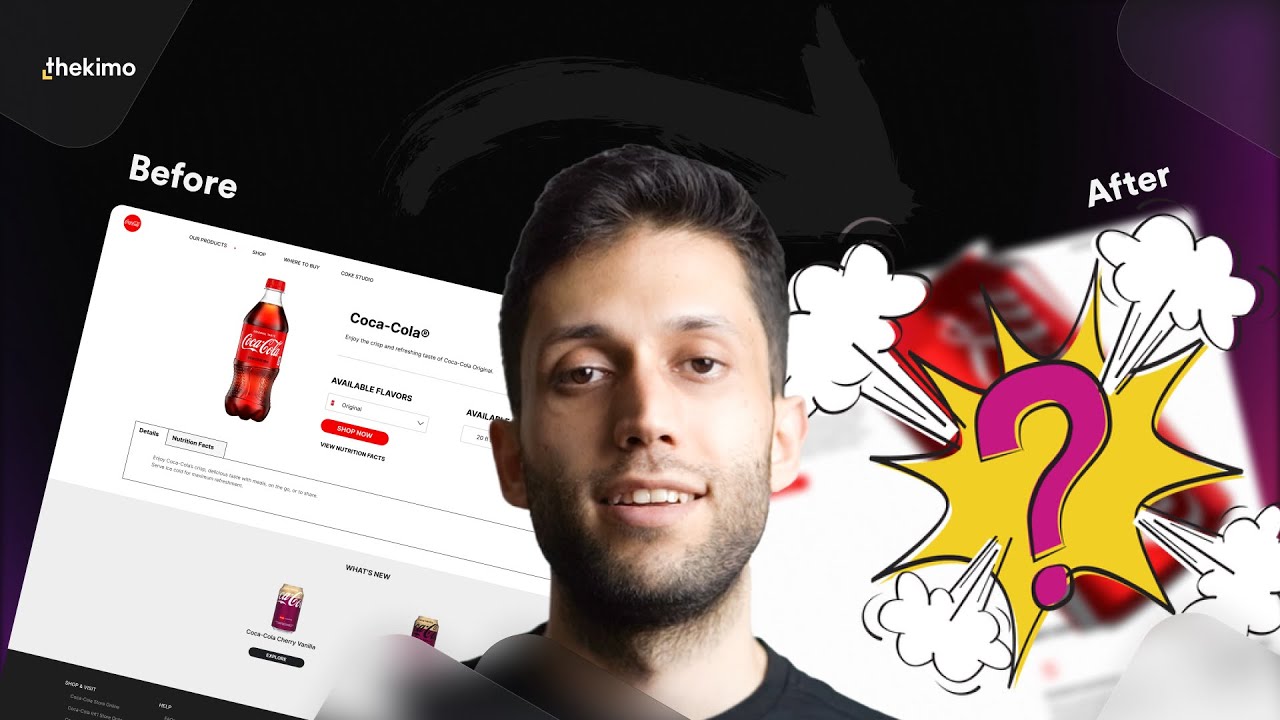
kimo
Sketching
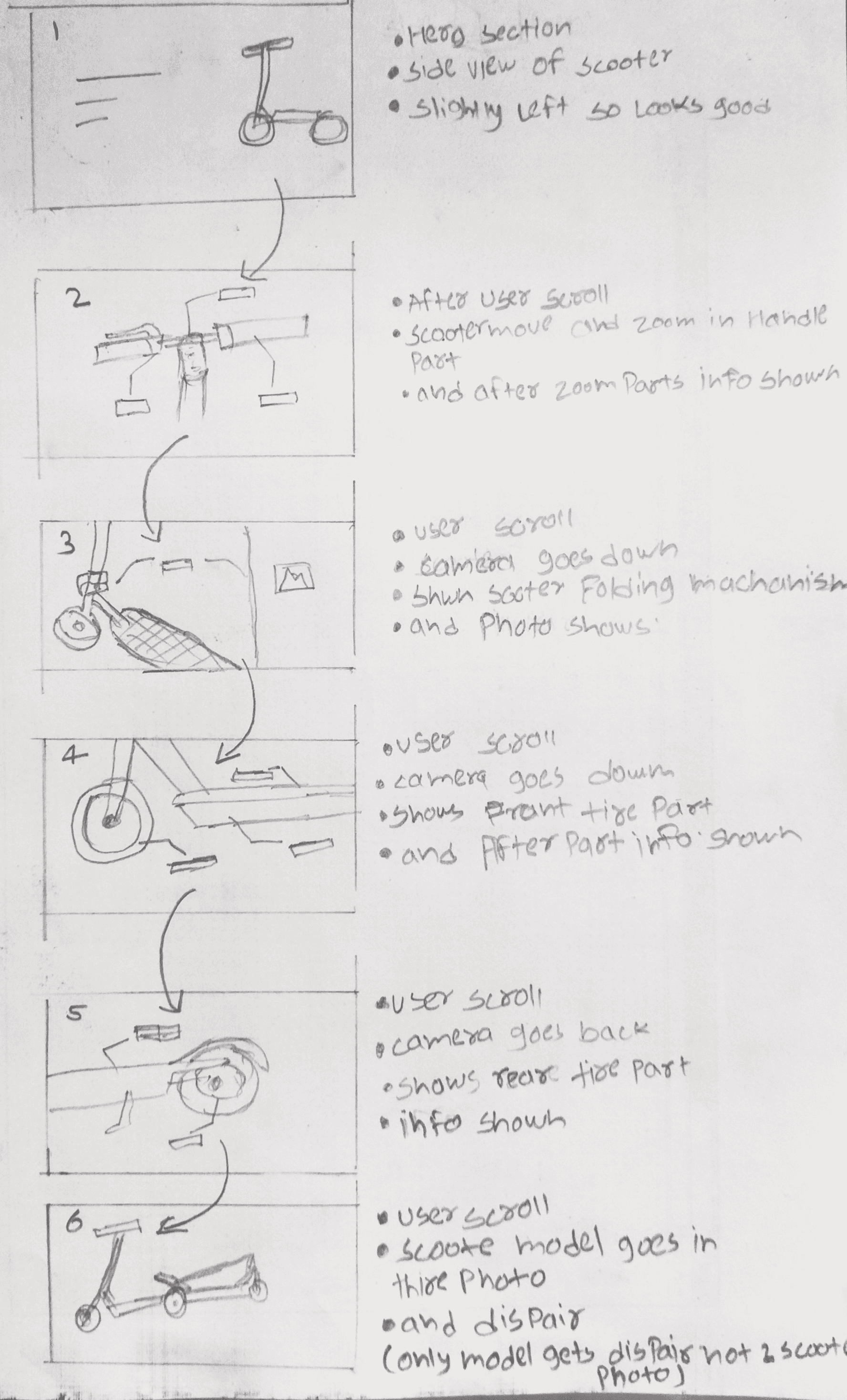
The purpose of creating this storyboard sketch was to visually plan and understand how the e-scooter transitions and zooms into different parts as the user scrolls. Sketching each frame helped map out the 3D motion flow — from front to side to top view — and how the scooter interacts with the screen, ensuring smooth transitions and clear visual storytelling during the scroll animation.
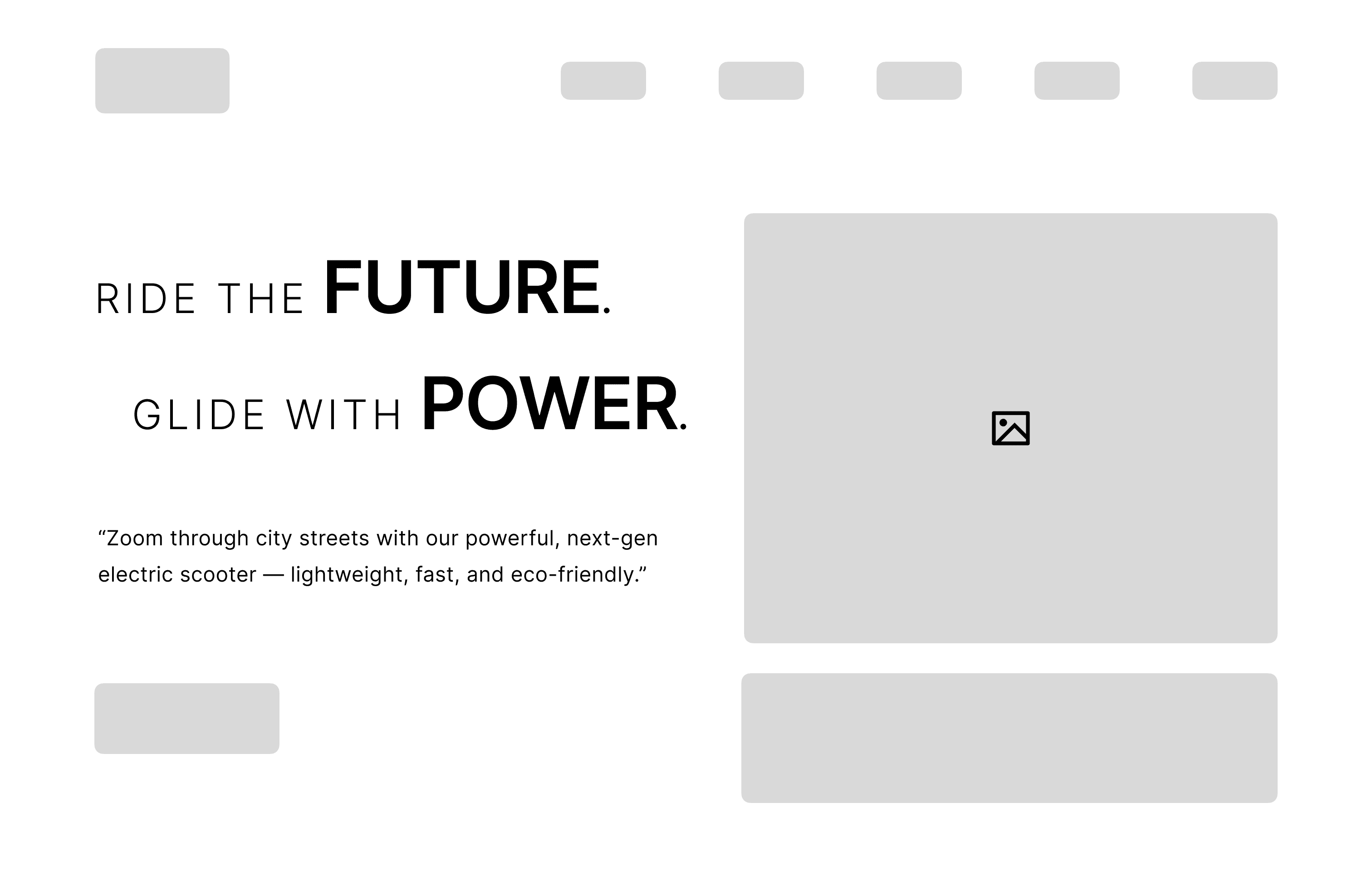
Wireframe
Animation Process
In Blender, I created the 3D bike animation sequence.
Wide Camera View
Shows how the camera moves from a long distance toward the scooter, helping visualize the overall motion and scene setup.
Close-up View
Demonstrates the actual scooter animation from the camera’s point of view, giving a real preview of how it will appear on the website.
Prototype
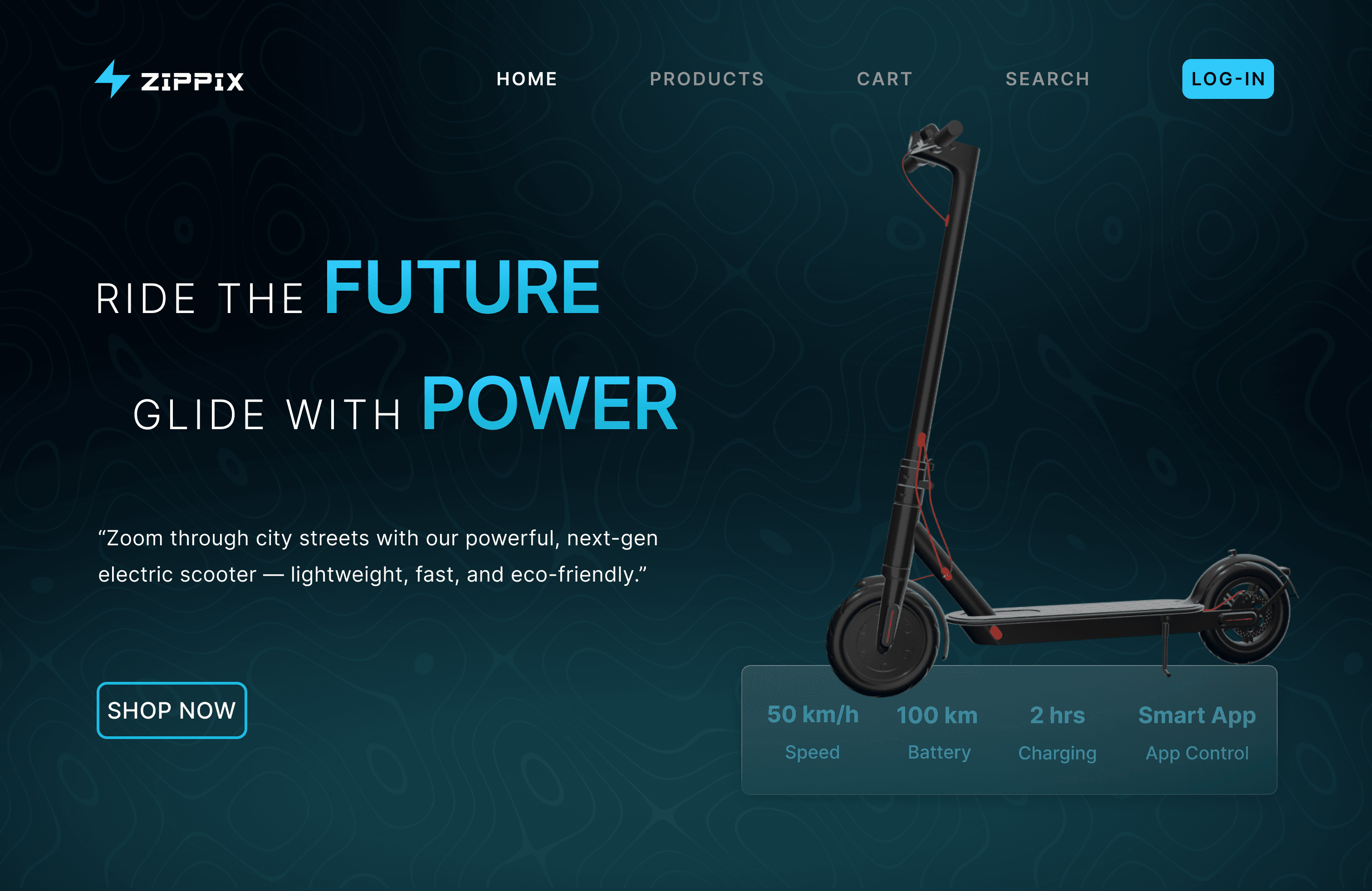
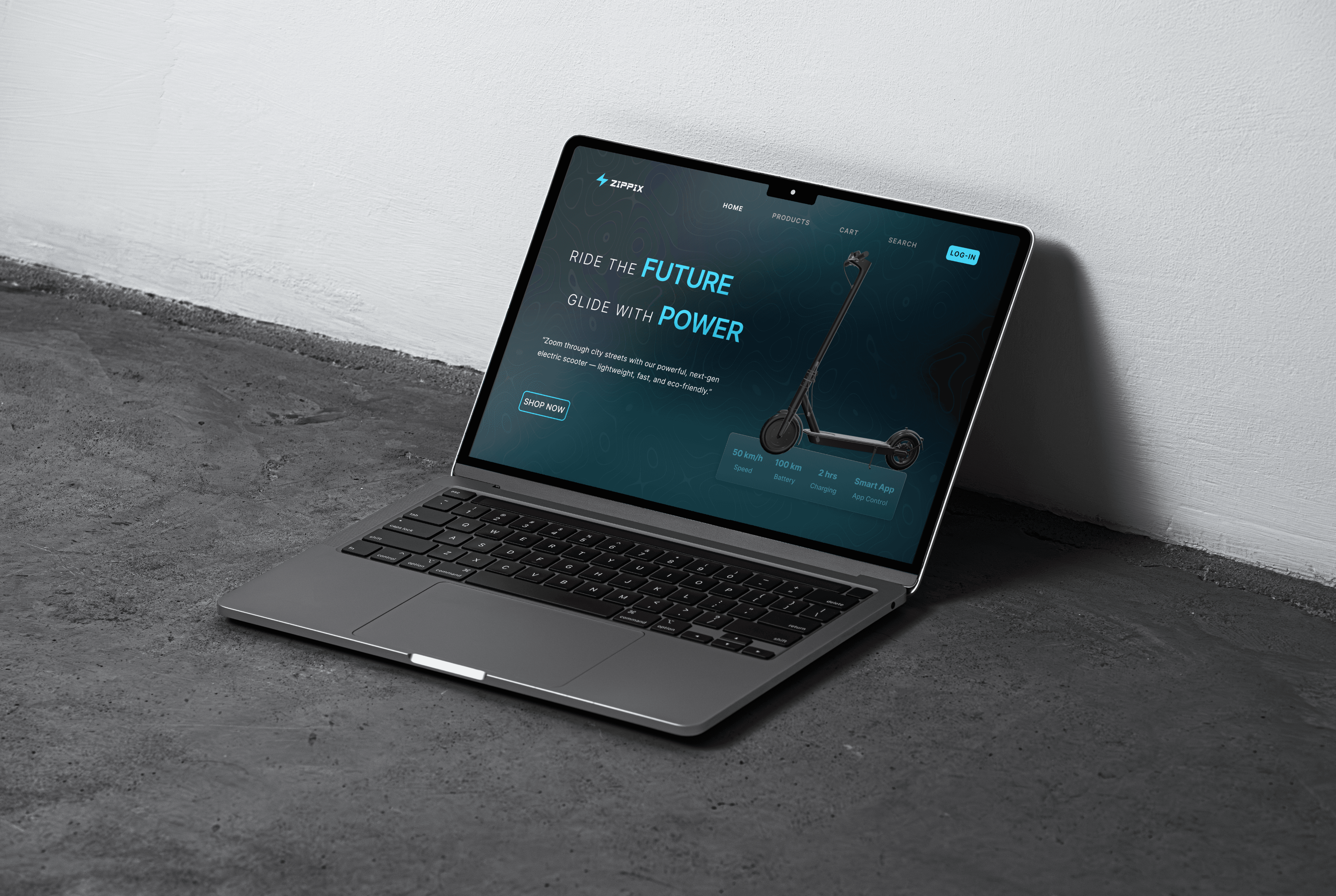
To demonstrate how the 3D scooter animation would appear and behave on a real website. The interactive UI and flow were designed in Figma, while Dora was used to visualize the scrolling effect — showing how each scooter part reveals step by step as the user scrolls.
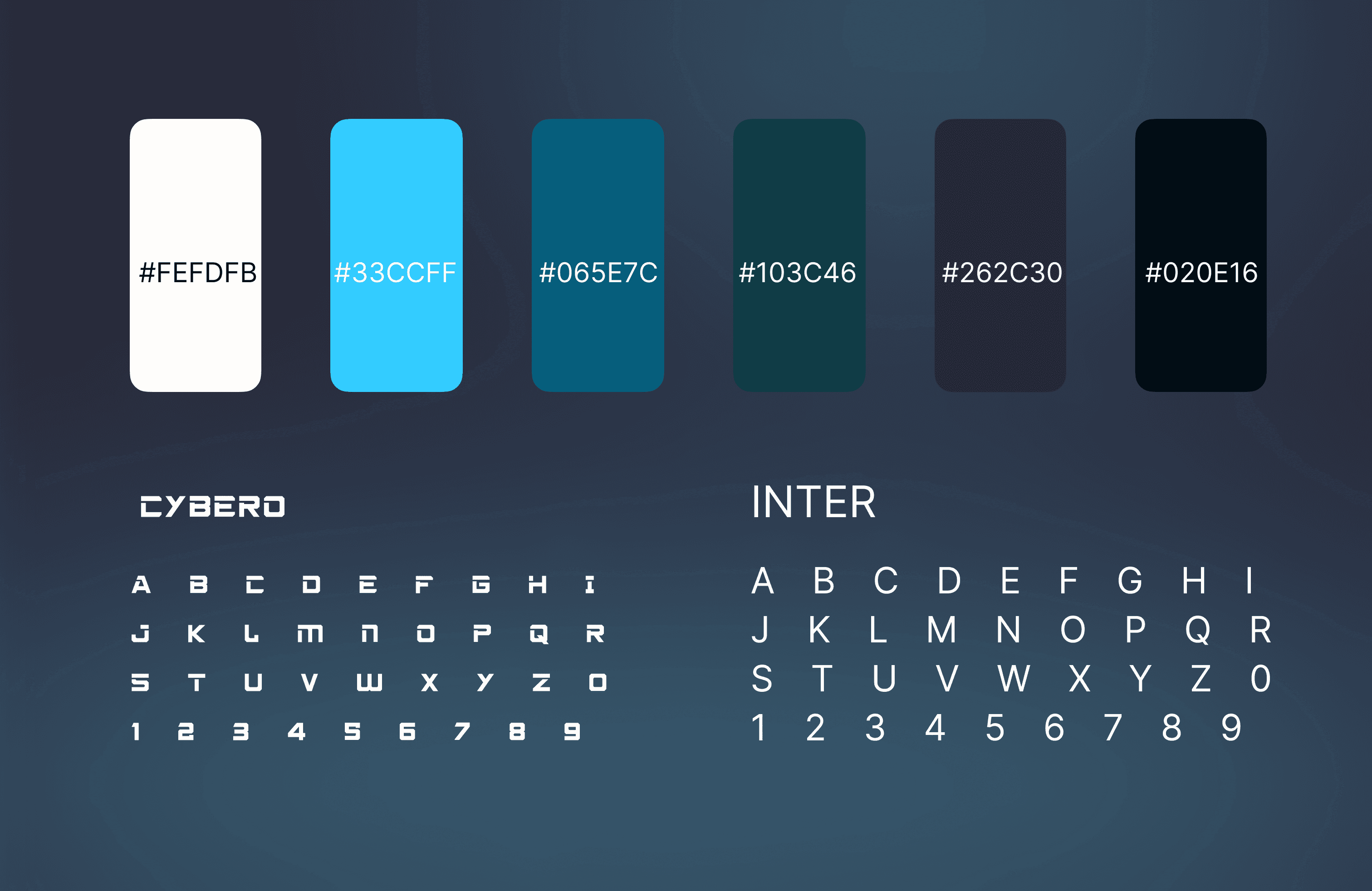
Sticker Sheet
Learning
Through this project, I learned how to bring 3D animation into web design using Blender and Dora. It taught me how to combine creativity with motion to enhance user experience.
Challenges
This was my first time using Blender and Dora, and I had no prior experience with creating 3D animated websites. During the process, I was genuinely curious about how 3D websites actually work — is it possible to achieve such effects without coding, or can a UI/UX designer create interactive 3D experiences through design tools alone?
I faced several challenges while experimenting, including exporting animations from Blender and linking them properly in Dora. Since Figma doesn’t support 3D or motion features, I had to divide the project into two parts — one built in Dora for 3D bike animation, and another in Figma for section transitions and UI layout.
Solution
Driven by curiosity and a passion for pushing design boundaries, I followed tutorials and experimented with Blender and Dora to understand how design and 3D interaction can come together. My motivation was to explore how immersive visuals could elevate user experience beyond flat interfaces. Through trial and error, I learned how to export and integrate 3D animations smoothly into Dora, ultimately creating an interactive website prototype that combines visual design with 3D motion to enhance user engagement.
2026 Mayur Mhetar. All Rights Reserved.
Back To Top
E-Scooter Website Design
An immersive 3D interactive website that showcases e-scooters in a dynamic way.
Overview
The E-Scooter Website is an interactive e-commerce platform that offers a 3D browsing experience. It allows users to explore, interact with, and purchase e-scooters through an engaging and visually dynamic interface.
Type
Personal / Concept Project
Project Duration
1 Month
My Role
Researcher
Designer
Tools
Figma
Notion
Blender
Dora
Chatgpt
YouTube
Process
3
Wireframe
1
Research
2
Ideation
4
Animation
5
Final Design
Problem Statement
“Modern websites often struggle to engage users through static visuals. I wanted to explore how 3D animation and micro-interactions can create a more immersive experience.”
Goal Statement
To design a visually appealing, scroll-based website featuring smooth 3D animations and interactive transitions that enhance user engagement. The goal was to create an immersive experience that feels dynamic and modern while maintaining clarity, accessibility, and a strong visual hierarchy throughout the design.
Research
When I began this project, I was fascinated by how brands like Apple use smooth 3D animations on their websites to create immersive experiences. I discovered a YouTube video where the creator explained how Apple achieves these 3D effects — not by directly adding 3D models, but by using Blender animation sequences exported as PNG frames to simulate 3D motion on the web. This method sparked my curiosity and made me realize that complex motion design can be achieved without heavy coding.
DesignWithArash
After understanding this technique, I spent nearly two days exploring further, asking ChatGPT for guidance and searching for detailed tutorials. Finally, I found a comprehensive video that clearly explained how to create a 3D animation in Blender and integrate it into a Dora project. This discovery became the turning point of my research and formed the foundation of my experiment in blending design, animation, and interactivity.
kimo
Sketching
The purpose of creating this storyboard sketch was to visually plan and understand how the e-scooter transitions and zooms into different parts as the user scrolls. Sketching each frame helped map out the 3D motion flow — from front to side to top view — and how the scooter interacts with the screen, ensuring smooth transitions and clear visual storytelling during the scroll animation.
Wireframe
Animation Process
In Blender, I created the 3D bike animation sequence.
Wide Camera View
Shows how the camera moves from a long distance toward the scooter, helping visualize the overall motion and scene setup.
Close-up View
Demonstrates the actual scooter animation from the camera’s point of view, giving a real preview of how it will appear on the website.
Prototype
To demonstrate how the 3D scooter animation would appear and behave on a real website. The interactive UI and flow were designed in Figma, while Dora was used to visualize the scrolling effect — showing how each scooter part reveals step by step as the user scrolls.
Sticker Sheet
Learning
Through this project, I learned how to bring 3D animation into web design using Blender and Dora. It taught me how to combine creativity with motion to enhance user experience.
Challenges
This was my first time using Blender and Dora, and I had no prior experience with creating 3D animated websites. During the process, I was genuinely curious about how 3D websites actually work — is it possible to achieve such effects without coding, or can a UI/UX designer create interactive 3D experiences through design tools alone?
I faced several challenges while experimenting, including exporting animations from Blender and linking them properly in Dora. Since Figma doesn’t support 3D or motion features, I had to divide the project into two parts — one built in Dora for 3D bike animation, and another in Figma for section transitions and UI layout.
Solution
Driven by curiosity and a passion for pushing design boundaries, I followed tutorials and experimented with Blender and Dora to understand how design and 3D interaction can come together. My motivation was to explore how immersive visuals could elevate user experience beyond flat interfaces. Through trial and error, I learned how to export and integrate 3D animations smoothly into Dora, ultimately creating an interactive website prototype that combines visual design with 3D motion to enhance user engagement.
2026 Mayur Mhetar. All Rights Reserved.
Back To Top
E-Scooter Website Design
An immersive 3D interactive website that showcases e-scooters in a dynamic way.
Overview
The E-Scooter Website is an interactive e-commerce platform that offers a 3D browsing experience. It allows users to explore, interact with, and purchase e-scooters through an engaging and visually dynamic interface.
Type
Personal / Concept Project
Project Duration
1 Month
My Role
Researcher
Designer
Tools
Figma
Notion
Blender
Dora
Chatgpt
YouTube
Process
3
Wireframe
1
Research
2
Ideation
4
Animation
5
Final Design
Problem Statement
“Modern websites often struggle to engage users through static visuals. I wanted to explore how 3D animation and micro-interactions can create a more immersive experience.”
Goal Statement
To design a visually appealing, scroll-based website featuring smooth 3D animations and interactive transitions that enhance user engagement. The goal was to create an immersive experience that feels dynamic and modern while maintaining clarity, accessibility, and a strong visual hierarchy throughout the design.
Research
When I began this project, I was fascinated by how brands like Apple use smooth 3D animations on their websites to create immersive experiences. I discovered a YouTube video where the creator explained how Apple achieves these 3D effects — not by directly adding 3D models, but by using Blender animation sequences exported as PNG frames to simulate 3D motion on the web. This method sparked my curiosity and made me realize that complex motion design can be achieved without heavy coding.
DesignWithArash
After understanding this technique, I spent nearly two days exploring further, asking ChatGPT for guidance and searching for detailed tutorials. Finally, I found a comprehensive video that clearly explained how to create a 3D animation in Blender and integrate it into a Dora project. This discovery became the turning point of my research and formed the foundation of my experiment in blending design, animation, and interactivity.
kimo
Sketching
The purpose of creating this storyboard sketch was to visually plan and understand how the e-scooter transitions and zooms into different parts as the user scrolls. Sketching each frame helped map out the 3D motion flow — from front to side to top view — and how the scooter interacts with the screen, ensuring smooth transitions and clear visual storytelling during the scroll animation.
Wireframe
Animation Process
In Blender, I created the 3D bike animation sequence.
Wide Camera View
Shows how the camera moves from a long distance toward the scooter, helping visualize the overall motion and scene setup.
Close-up View
Demonstrates the actual scooter animation from the camera’s point of view, giving a real preview of how it will appear on the website.
Prototype
To demonstrate how the 3D scooter animation would appear and behave on a real website. The interactive UI and flow were designed in Figma, while Dora was used to visualize the scrolling effect — showing how each scooter part reveals step by step as the user scrolls.
Sticker Sheet
Learning
Through this project, I learned how to bring 3D animation into web design using Blender and Dora. It taught me how to combine creativity with motion to enhance user experience.
Challenges
This was my first time using Blender and Dora, and I had no prior experience with creating 3D animated websites. During the process, I was genuinely curious about how 3D websites actually work — is it possible to achieve such effects without coding, or can a UI/UX designer create interactive 3D experiences through design tools alone?
I faced several challenges while experimenting, including exporting animations from Blender and linking them properly in Dora. Since Figma doesn’t support 3D or motion features, I had to divide the project into two parts — one built in Dora for 3D bike animation, and another in Figma for section transitions and UI layout.
Solution
Driven by curiosity and a passion for pushing design boundaries, I followed tutorials and experimented with Blender and Dora to understand how design and 3D interaction can come together. My motivation was to explore how immersive visuals could elevate user experience beyond flat interfaces. Through trial and error, I learned how to export and integrate 3D animations smoothly into Dora, ultimately creating an interactive website prototype that combines visual design with 3D motion to enhance user engagement.
2026 Mayur Mhetar. All Rights Reserved.
Back To Top