Bus & Hotel Booking App
“A walkthrough of my end-to-end mobile app design process for Primego.”
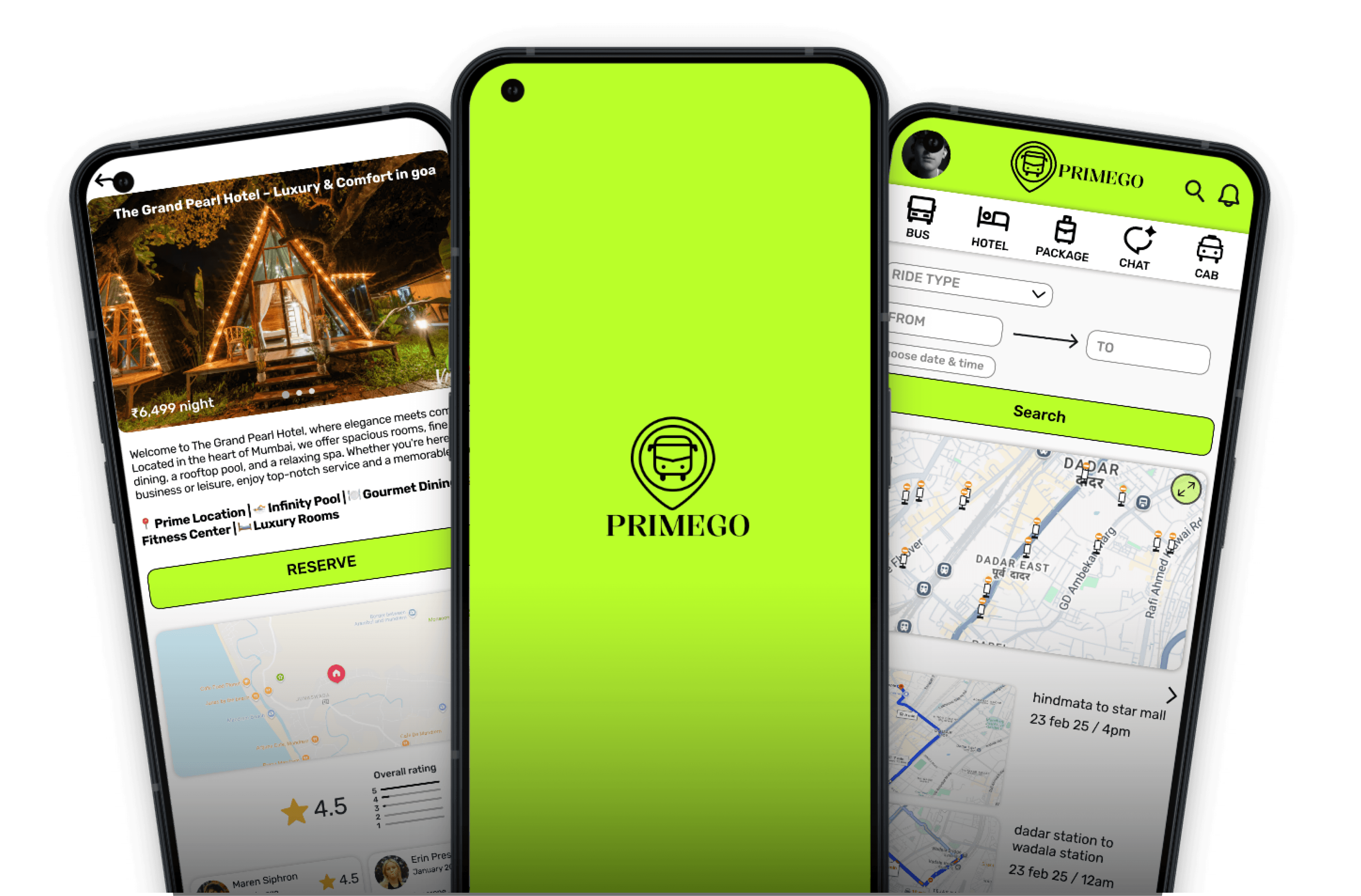
Process Highlight
Overview
“The app allows users to conveniently book bus tickets and hotel stays in one platform, making it accessible for all age groups.”
Platform
Mobile app
Project Duration
3 Month
My Role
User Experience Design
User Interface Design
Team Composition
Individual project
Responsibilities
Research
Competitive analysis
Personas
Journey map
IA
Wireframes
Prototypes
Branding
UI Design
Tools used
Figma
Chatgpt
Google Form
Notion
Figjam
Whimsical

Problem
Users are forced to juggle multiple apps because no single platform offers both intercity and local bus booking in one place.
Solution
A single platform that allows users to book both intercity and local buses, along with hotel reservations, would eliminate the need for multiple travel apps.
Design goals
Create an intuitive, time-efficient interface with easily accessible features, ensuring seamless navigation for users of all age groups.
The Process
1
Resarch
2
Define
3
Ideation
4
Prototype
User Survay
Objective
The goal of the survey was to understand how users currently book bus tickets and hotels, their challenges during the process, and what features they expect from an all-in-one platform.
Number of participants
3 Responses collected via Google Forms
Insight
A total of 17 questions were included in the survey — 7 short (one-word/choice-based) questions and 10 open-ended questions to gather both quantitative and qualitative insights. Since I couldn’t conduct user interviews due to time constraints, I included open-ended questions in the survey to collect more detailed feedback and understand user pain points effectively.
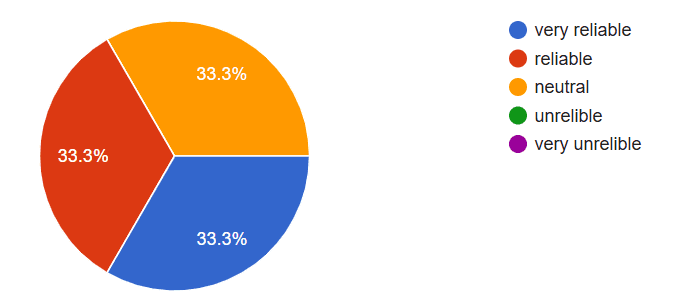
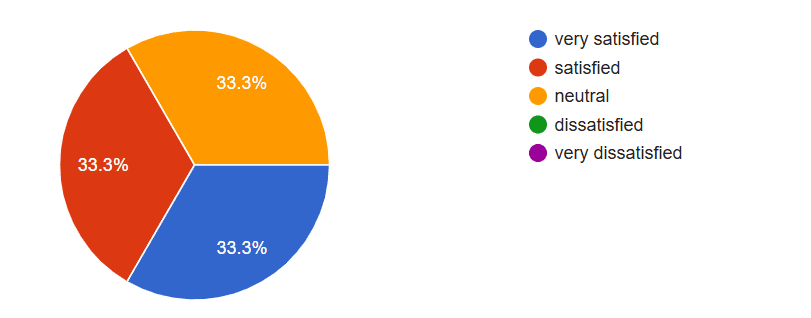
The survey revealed that users rely on bus apps for both intra-city and intercity travel, primarily for booking tickets, checking schedules, and live tracking. While navigation is generally smooth, users reported confusion with certain features, occasional technical issues, and inconsistent live tracking. Most users expressed a desire for improved clarity, better support, and additional features to enhance convenience and usability. These insights highlight key areas to focus on for solving commuter pain points and improving the overall app experience.
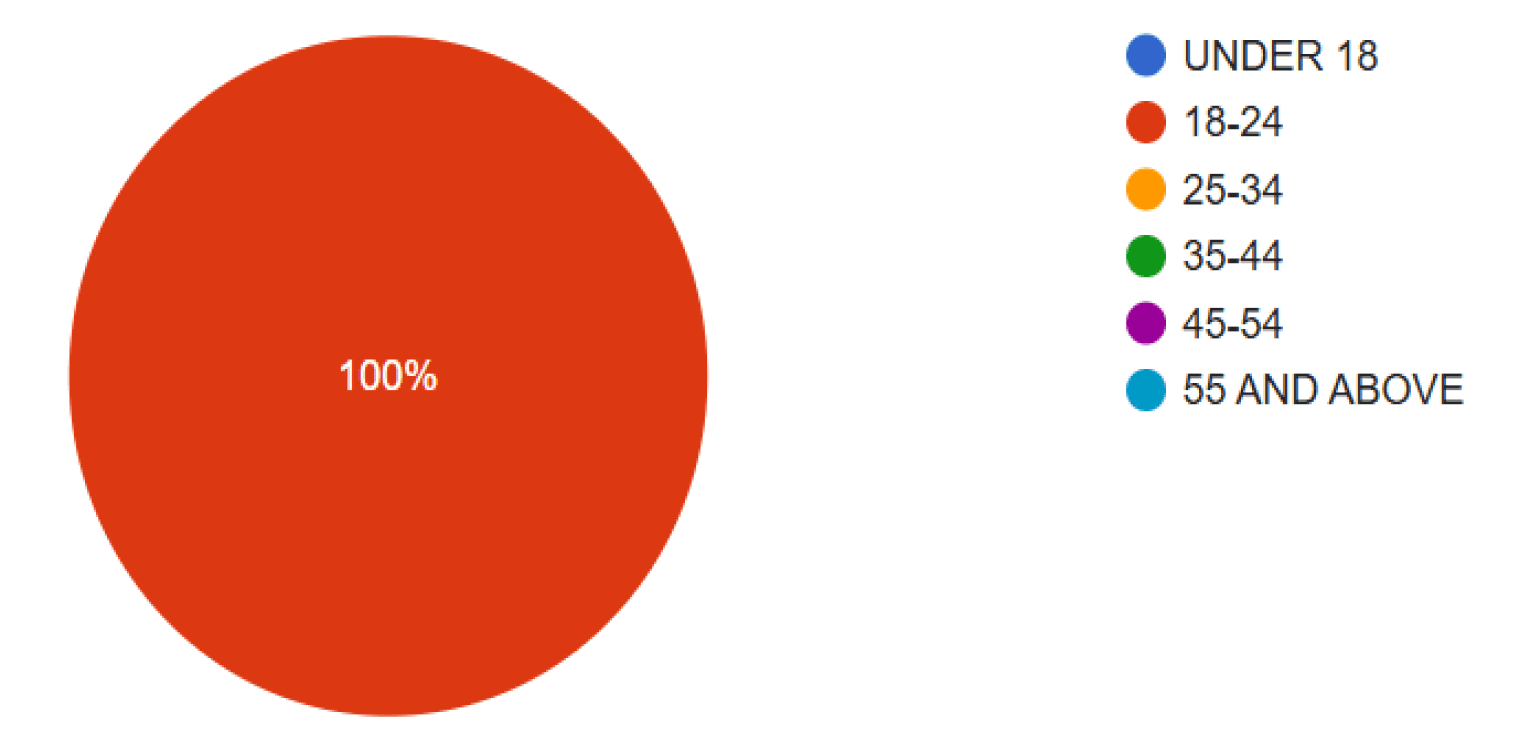
Your age
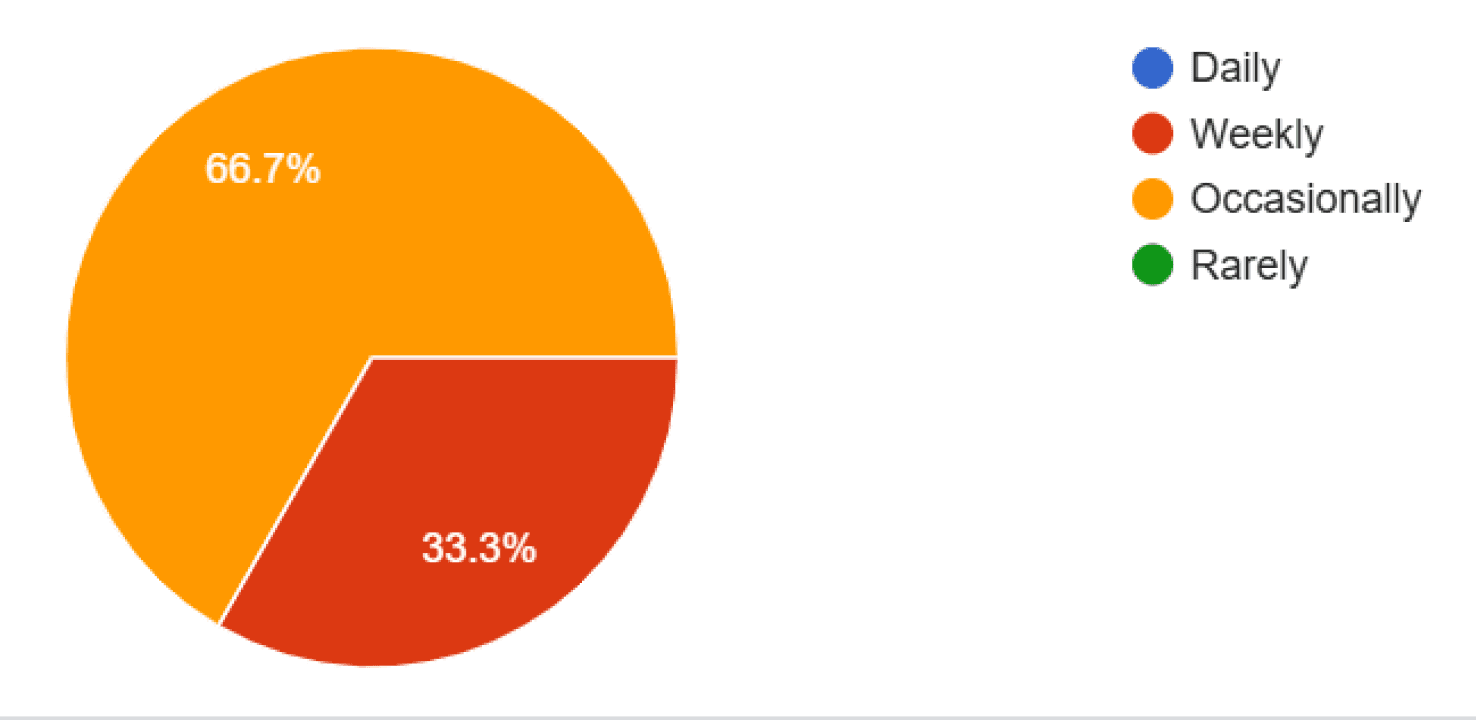
How often do you use the bus?
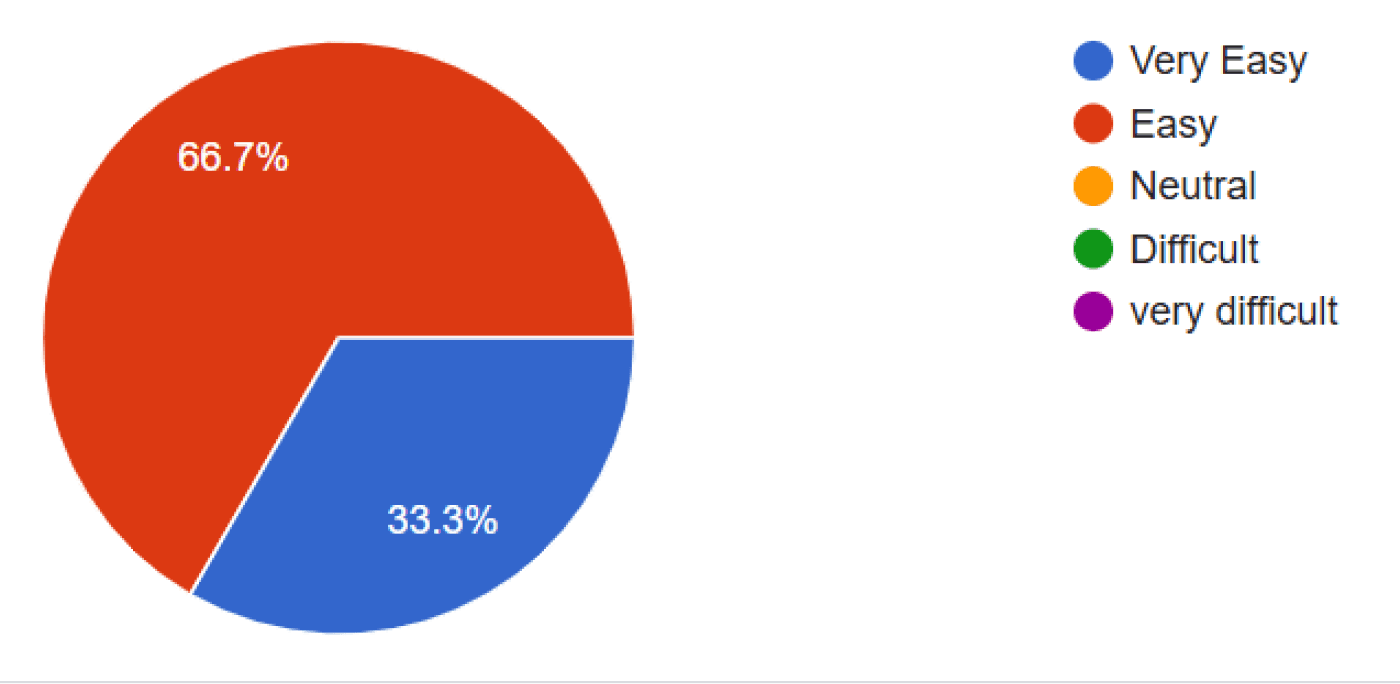
How easy is it to navigate the
app?
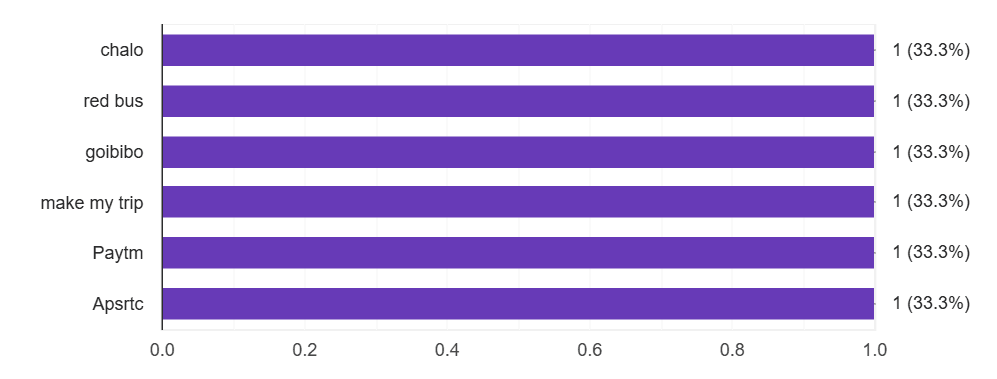
which bus app you use ?
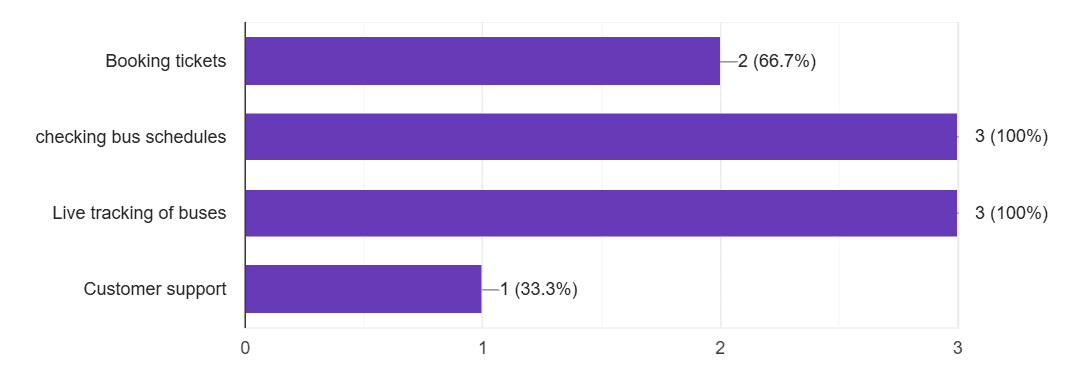
Which features of the app do you use most frequently?
How reliable is the live bus tracking feature?
How satisfied are you with the app’s loading
speed?
User Interview
Objective
“To understand user pain points and expectations in deeper context, I prepared an interview questionnaire for 1:1
conversations.”
Prepared Open-ended Interview Questions:
1 Can you describe how often and why you use bus apps for within-city trips?
2 Can you describe how often and why you use bus apps for city-to-city trips?
3 Do you currently use more than one bus app? If yes, can you explain which ones and why you choose each?
4 What are the features you use most in each app, and how do they help you in your travel experience?
5 Can you share an example of something you find really helpful or convenient in the bus app(s) you use?
6 What challenges or frustrations do you face when using multiple apps for different types of bus travel?
7 How do you usually decide which bus to take for intra-city and intercity journeys, and what tools or apps help you with that?
8 Are there any features, information, or improvements you wish were available in a single bus app that could cover both city and intercity travel?
9 Have you ever stopped using a bus app? If yes, can you explain what made you stop and how it affected your travel?
10 When traveling by bus, what information or support do you find most important, and does it differ for city vs intercity travel?
11 If you could design your ideal bus app that handles both city and intercity travel, what would it look like and what would it do for you?
Note
“Due to time and access limitations, the prepared interview questions were not conducted with users. However, the insights from the survey and secondary research helped guide the design decisions.”
Target audience
Frequent travelers aged 18–45
Number of interviews
Planned for 5 participants
“To understand existing solutions, identify gaps, and discover opportunities to improve the user experience of booking buses app.”
Compatetive Analysis
Competitor


Focus
In City
In City
Inter-city (city-to-city)
Inter-city (city-to-city)
+ other travel services
Inter-city + full
travel platform:
Strengths
+ Live bus tracking, 9 languages,
clean UI
+ SOS feature & pass purchasing
+ Premium feel, seat selection, ride
history & tracking
+ Video guide for help is standout
+ Wide inter-city options, seat selection,
tracking, language support
+ Clear icons, bold CTAs and strong brand identity
+ Modern UI, strong layout, integrated travel
options (buses + flights + hotels)
+ Good service positioning for travelers & families
+ Visually appealing, well-structured, all-in-one
travel platform (buses, hotels, flights)
+ Loyalty programs, AI trip-planner features
Weaknesses
– Limited offline usability
– Doesn’t support “Select from map”
for bus stops; clutter for new users
– No pickup/drop map for routes
– Only in English; route map inside app
– Too much information on interface (may overwhelm)
– Lacks universal search or quick access to support
– Too many features may confuse first-time users (overload)
– Only English; lacks accessibility adjustments (screen reader, font sizes)
– Homepage and flow can feel cluttered due to heavy promotions & offers
– Deep navigation may confuse new users; accessibility lacking
Insight
“Existing apps are either overloaded or too limited, forcing users to switch between different platforms for local and intercity buses. I saw an opportunity to create a unified, cleaner booking experience with simplified navigation.”
Says
“This app is useful but the latest update made navigation harder.”
“Not reliable — I wasted time waiting for the bus.”
“I can’t find customer support easily.”
Thinks
App updates should improve, not reduce usability.
Customer support must be easy to reach.
Bookings should be accurate and reliable.
Apps should save time and effort.
Feels
Frustrated with technical glitches and poor service.
Disappointed by unreliable updates.
Annoyed when support isn’t accessible.
Feels cheated when time or money is wasted.
Does
Tries to navigate despite issues or considers alternatives.
Contacts support or posts negative feedback.
Searches for help or abandons the app.
Warns others through reviews.
Insight
“Through empathy mapping based on survey insights and app reviews, I uncovered deep frustrations around unreliable services, poor support access, and confusing updates. Users strongly desired a smoother, more trustworthy, and time-efficient booking experience. These insights directly shaped the key design goals and product opportunities for the app.”
Empathy Map
“Based on user surveys and app review analysis, I created an empathy map to understand real user thoughts, emotions, and actions.”
User Persona
Based on my user research and survey responses, I created three personas. Out of the three personas, I focused on one key personas that represent the main user segments — daily local commuters and frequent intercity travelers.

Priya Sinha (27)
Andheri, Mumbai
Sales Manager
Priya is a professional who frequently travels between cities for work. She values punctuality, safety, and smooth booking experiences. She says, "I need a reliable app to book and track intercity buses without worrying about delays."
Frustrations:
Lack of live updates.
Limited comfortable options during peak hours.
Goals:
Book buses easily and quickly.
Get real-time delay or cancellation alerts.
Insights
Priya values punctual, safe, and comfortable travel, preferring apps that make booking simple and reliable.
User Stories
As a woman traveling at night, I want a safety feature (e.g., SOS button or live location sharing), so I can feel secure during my journey.
User Journy Map
To understand how users interact with the app and identify pain points, I created three user journeys based on different personas. Below is a key journey that represents a primary scenario for safe intercity travel.
Priya Sinha
Plans a late-night business trip.
Stage
Actions
Task List
Feeling
Improvement
Awareness
Plans a late-night
business trip.
- Open the app to search for intercity buses.
- Check travel schedules.
Highlight buses with safety features like CCTV and verified drivers.
Consideration
Reviews bus options and
selects the safest route.
- Compare options based on timing and comfort.
- Enable safety features.
Add a "Safety Rating" feature for night buses based on user feedback.
Engagement
Uses the app to
share her location.
- Enable live location sharing.
- Familiarize herself with the SOS button.
Provide periodic safety notifications during the journey.
Resolution
Completes the journey and
reaches the destination.
- Rate the service.
- Notify her contacts of her safe arrival.
Include an automatic notification system for arrival alerts.
Reflection
Considers using the app for
future travel.
- Save the route for future trips.
- Browse similar routes for convenience.
Offer personalized route suggestions for frequent destinations.
Storie Board (big & small picture )
User Flow
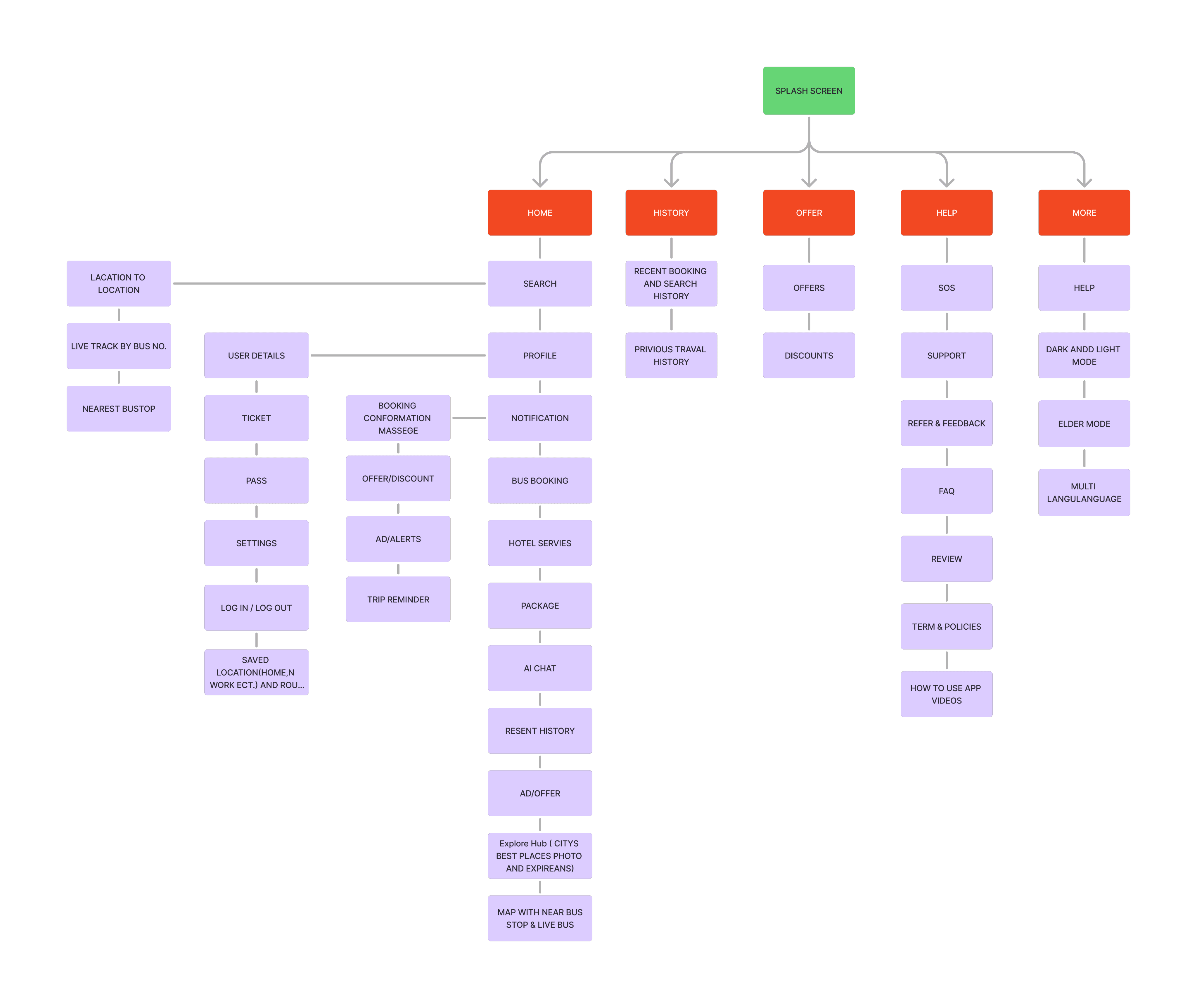
Informatioan Architecture (IA)
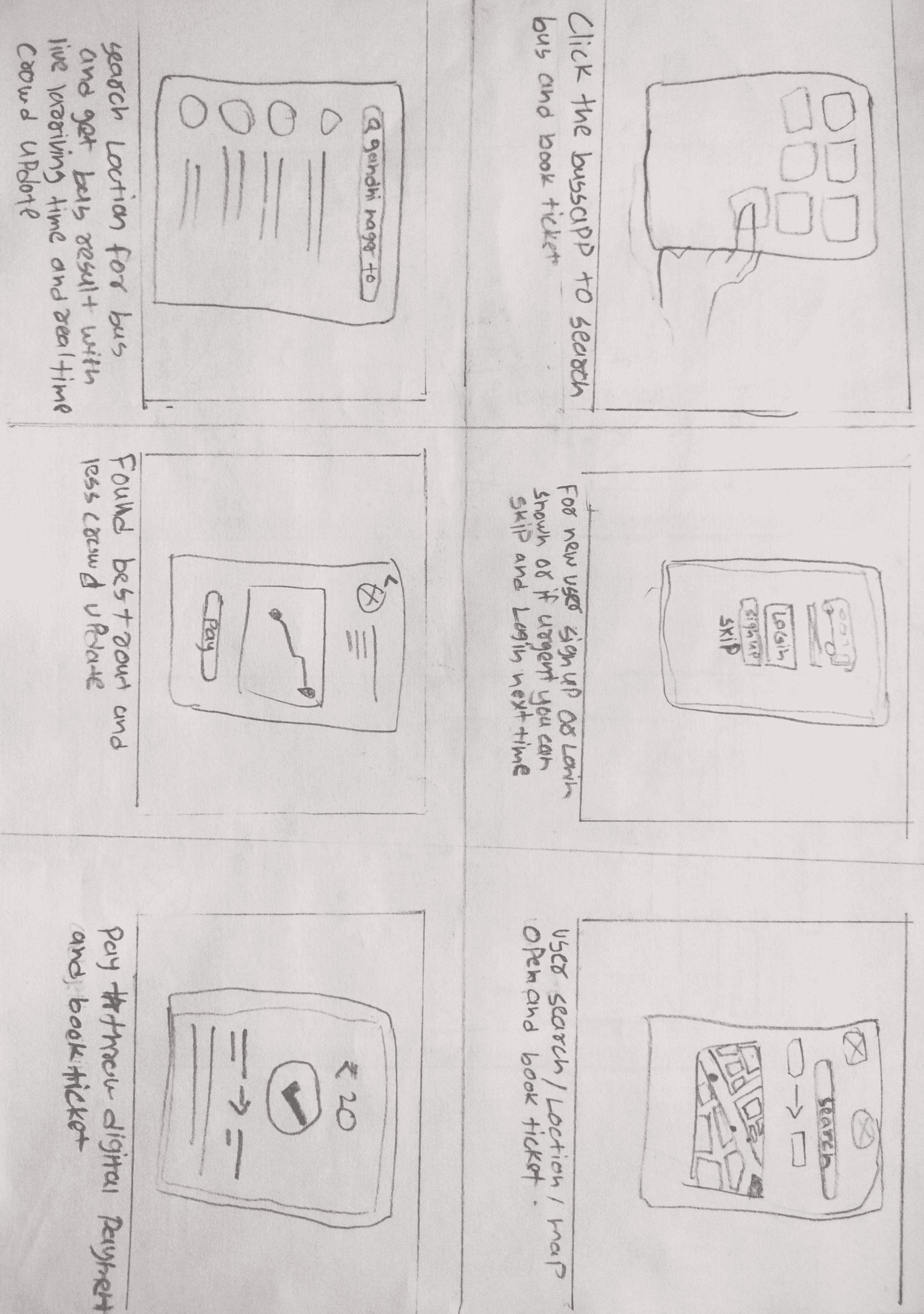
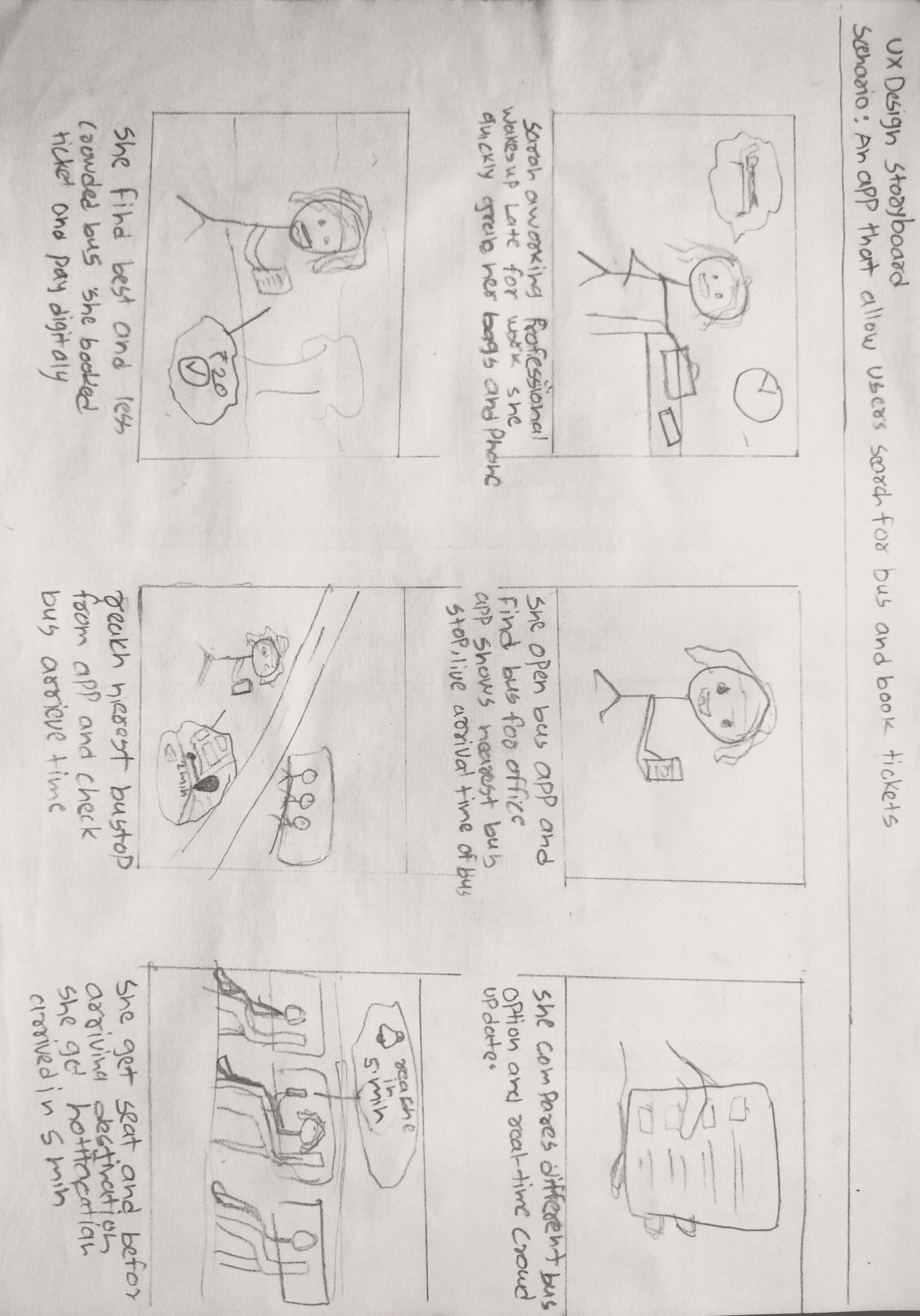
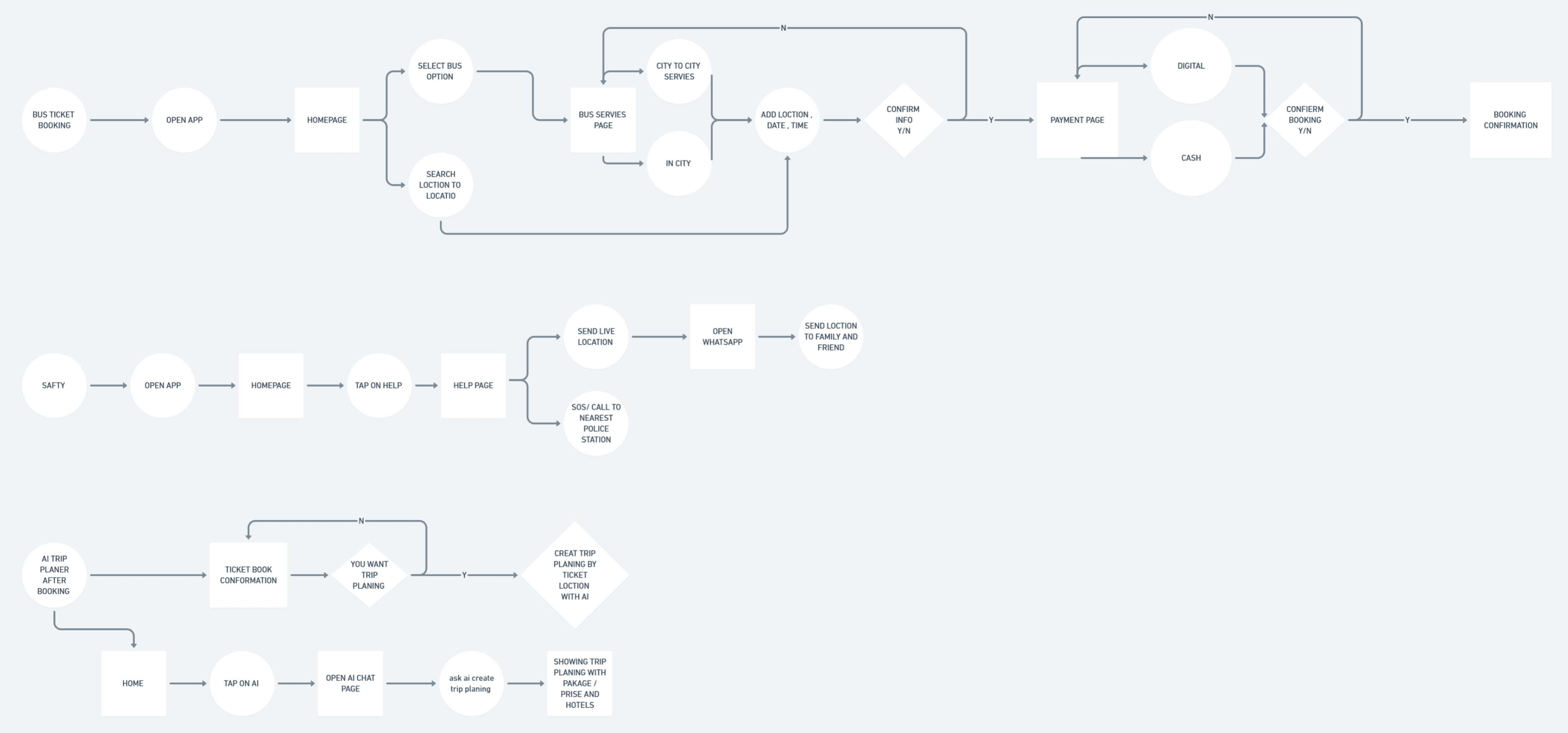
To visualize how users interact with the bus booking app in real-life scenarios — from identifying their travel needs to completing their journey — highlighting key pain points, emotions, and opportunities for design improvement.
After completing the user flow, I created the Information Architecture to define the overall structure of the app.
Rapid Sketching
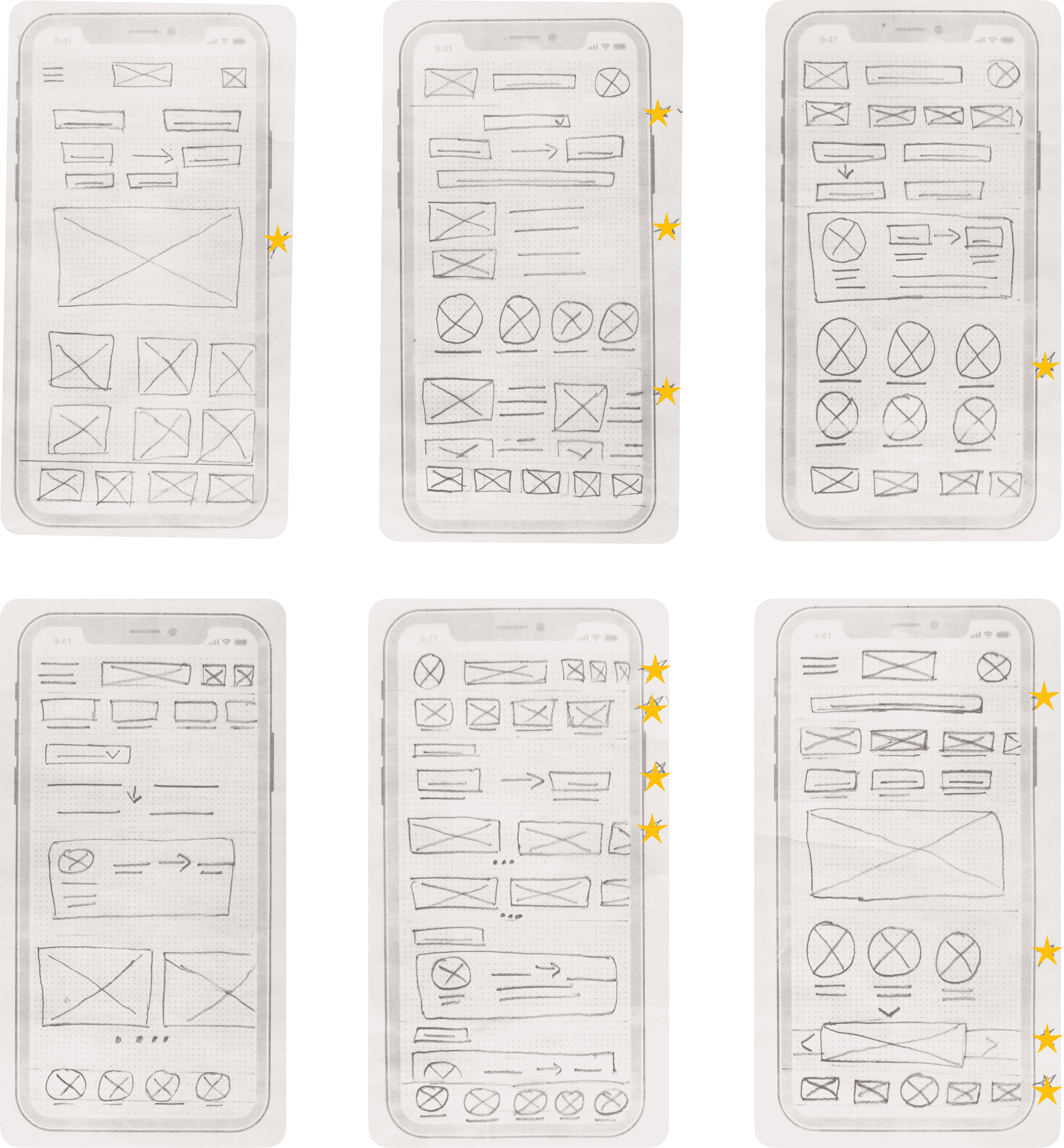
Final Sketch Layout
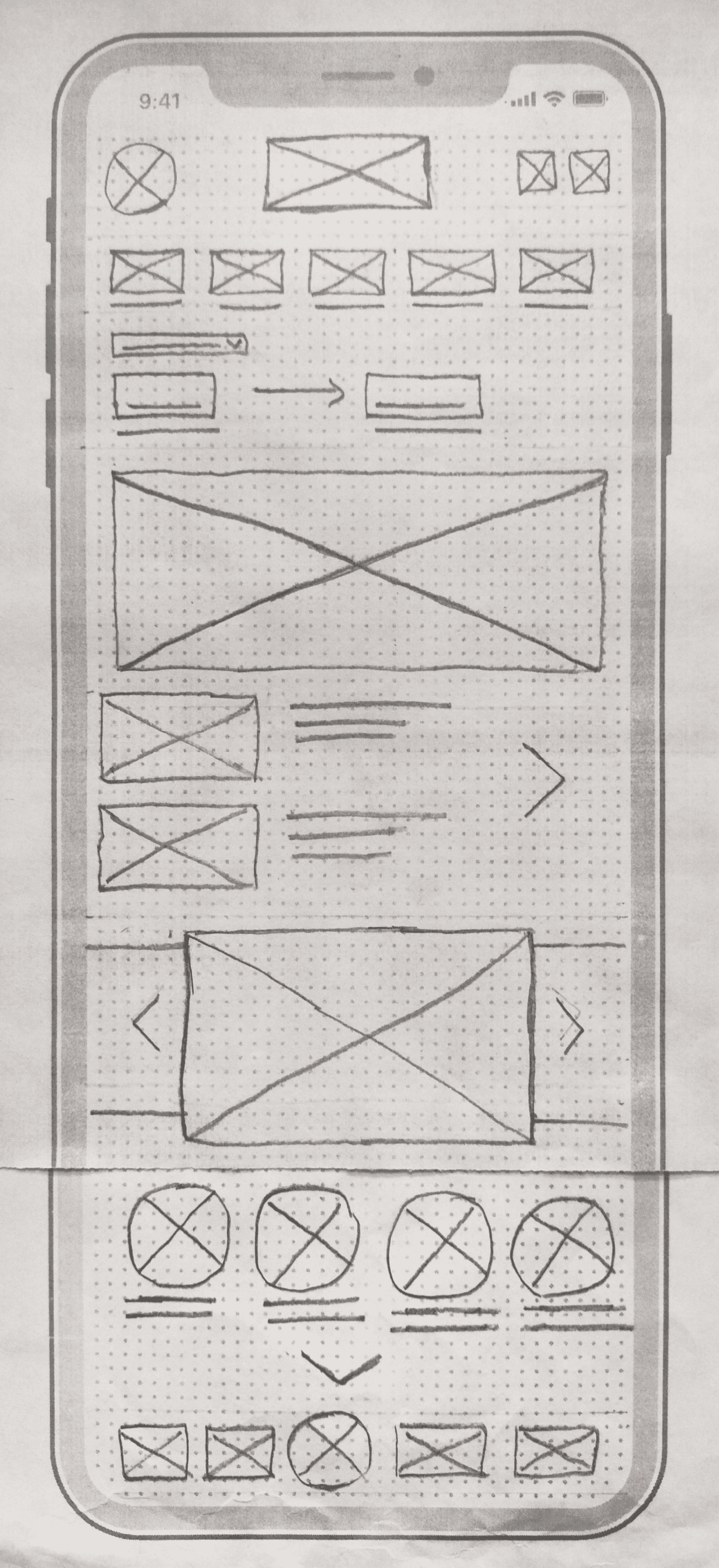
Wireframe (Lofi & Hifi)
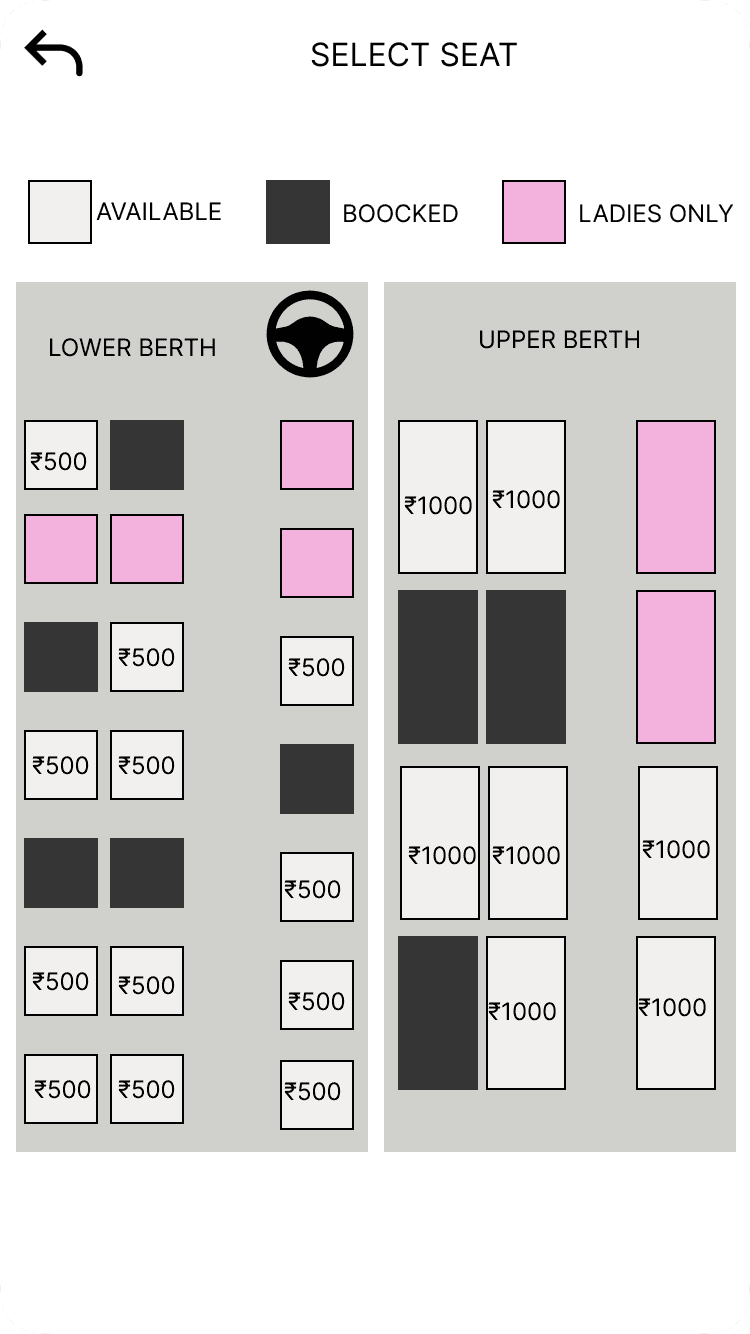
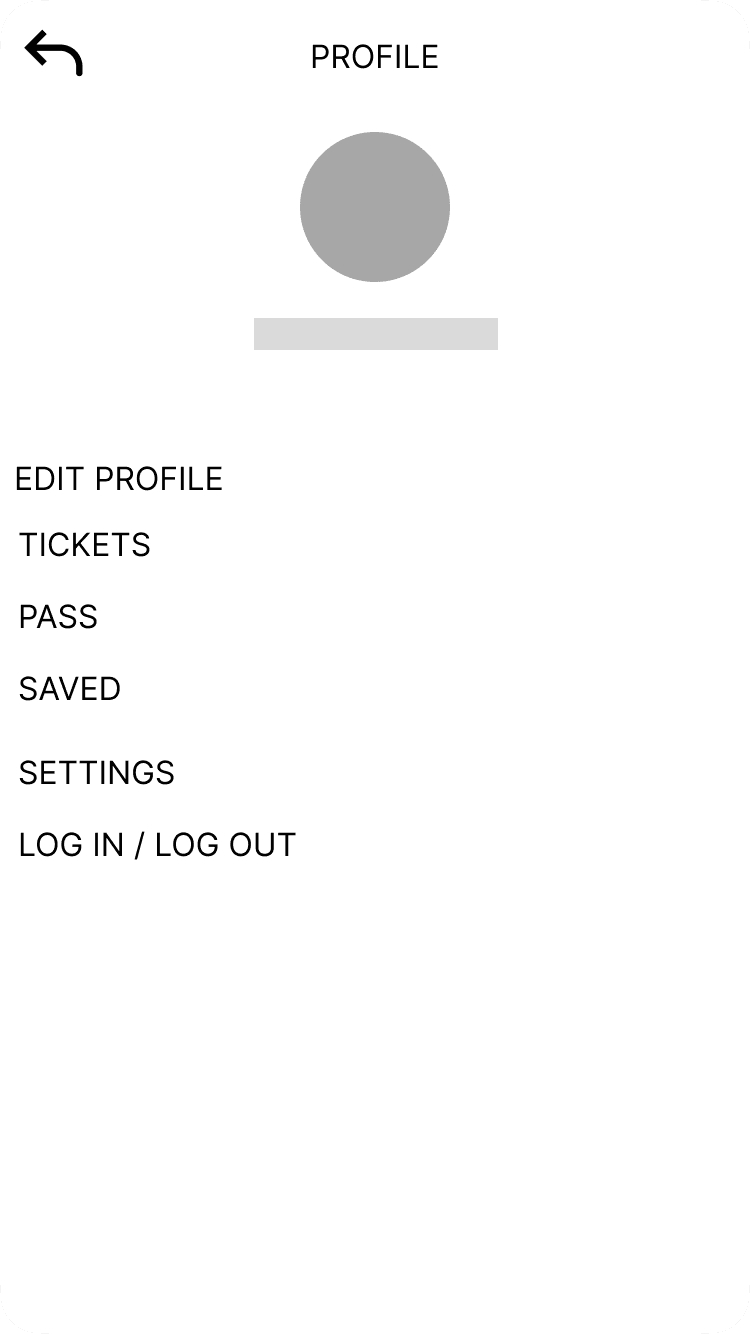
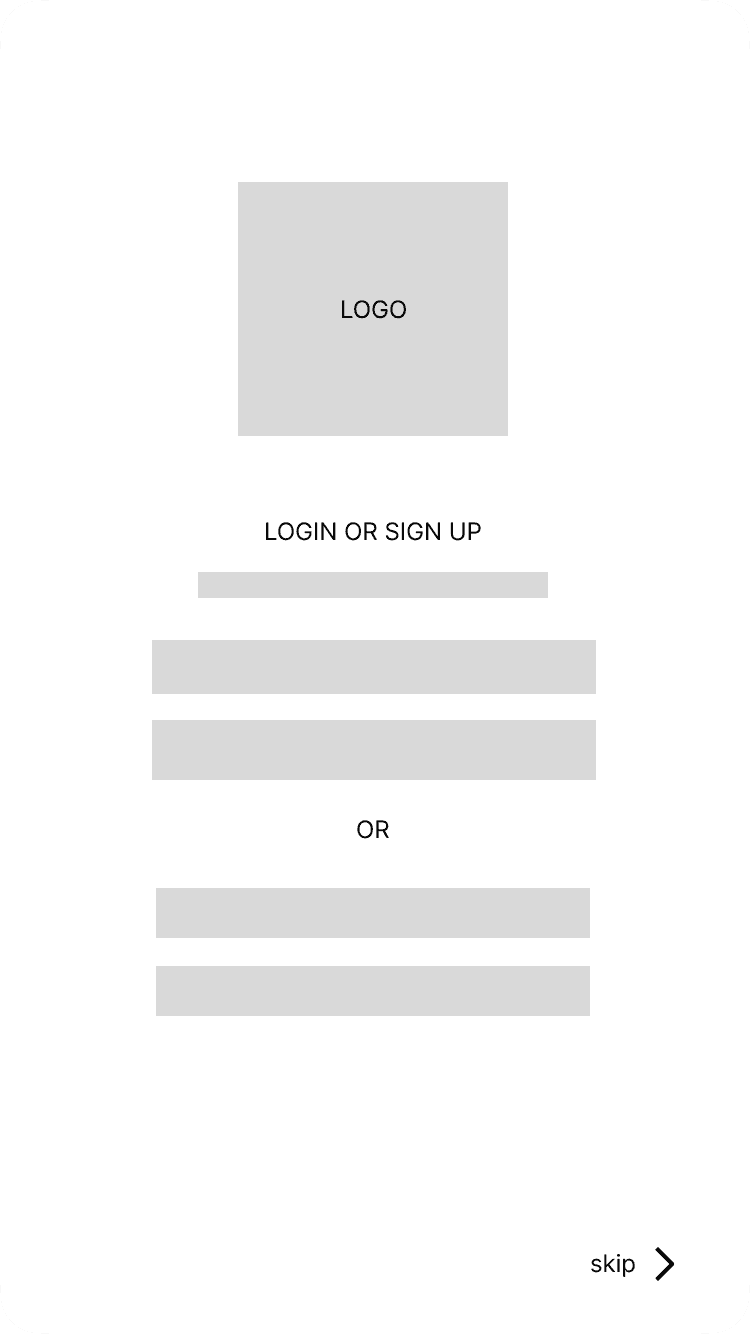
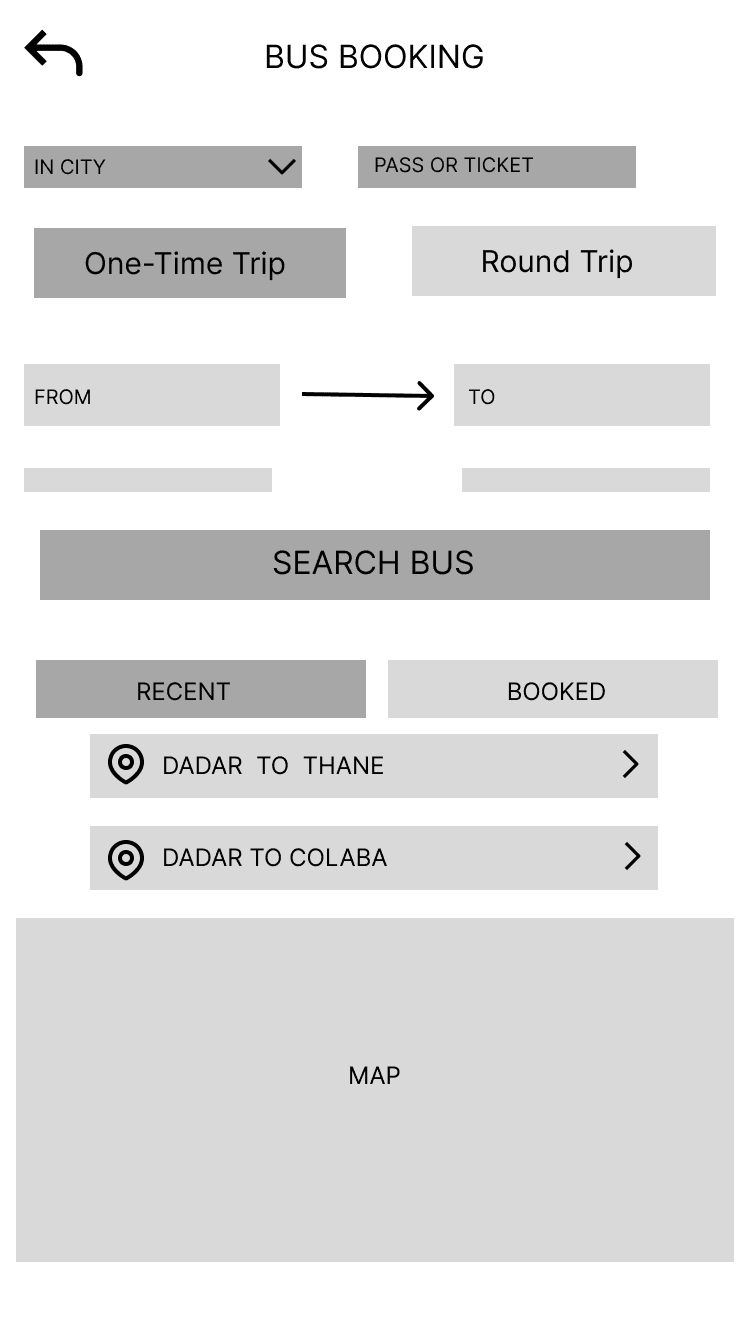
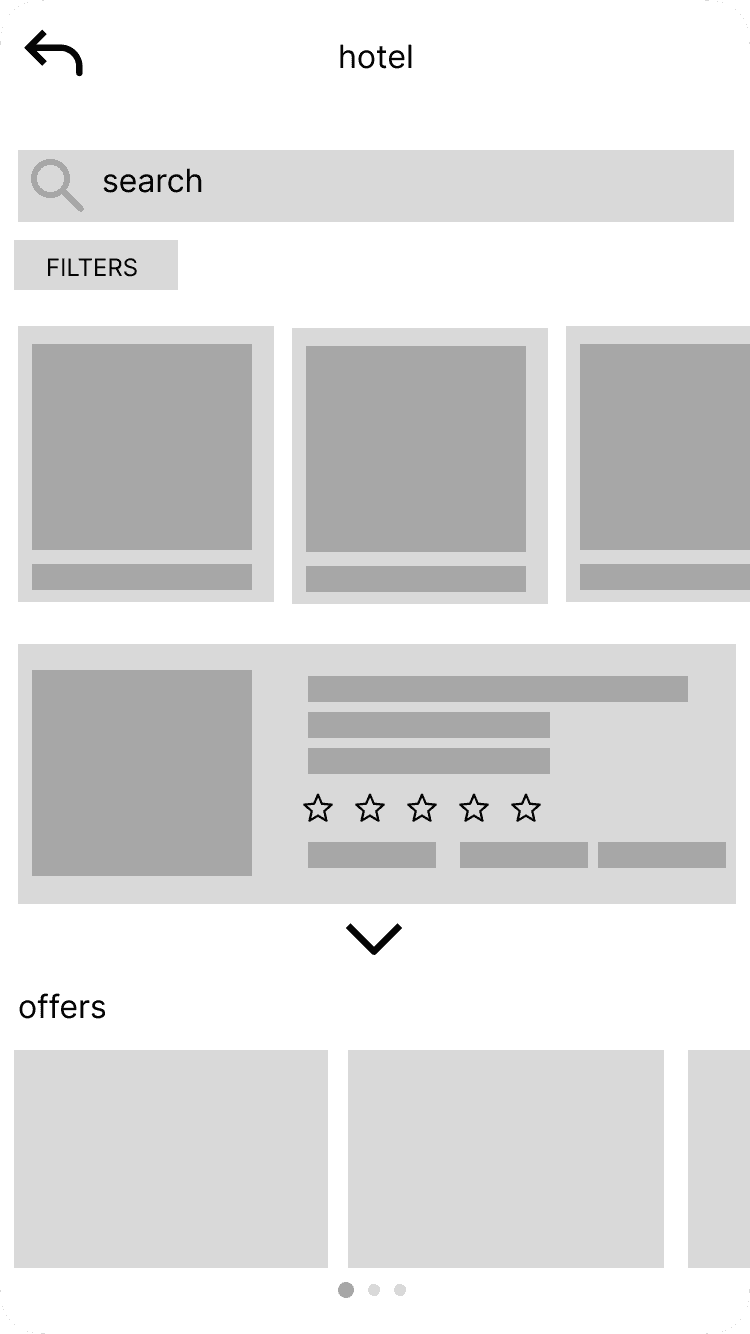
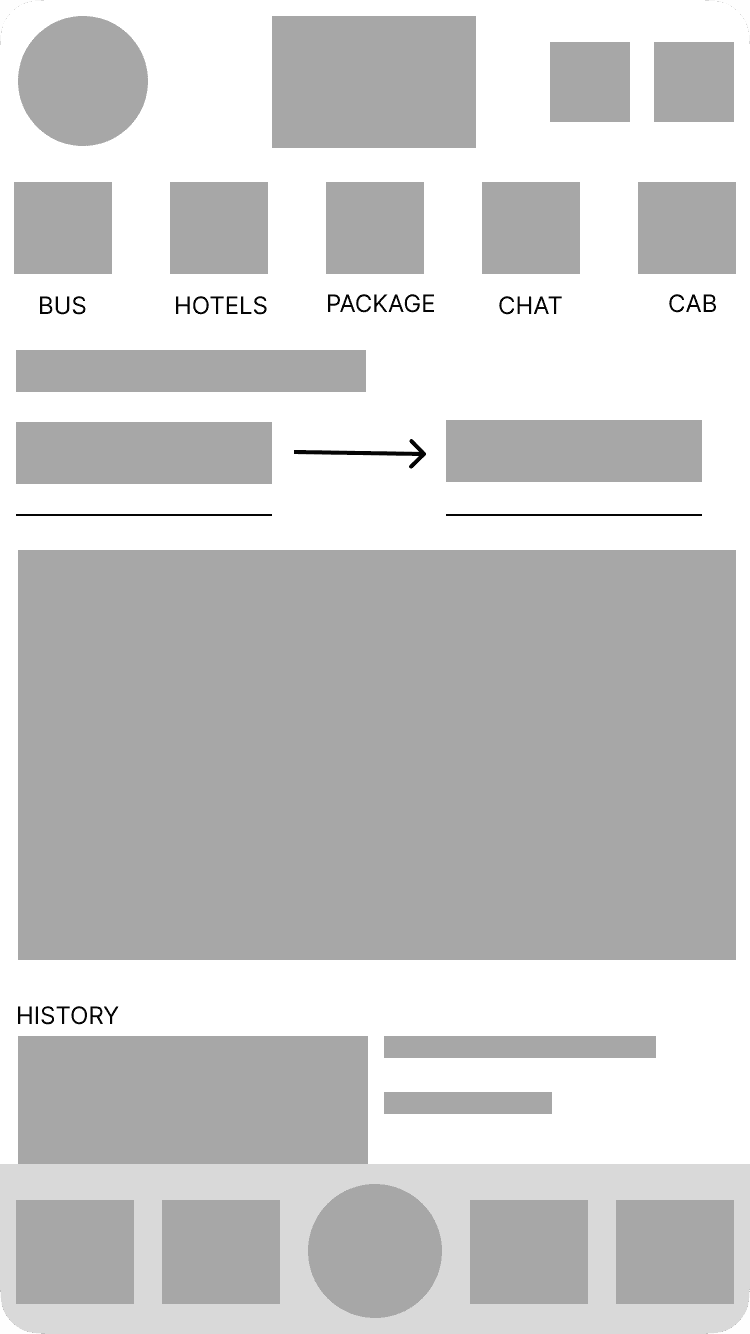
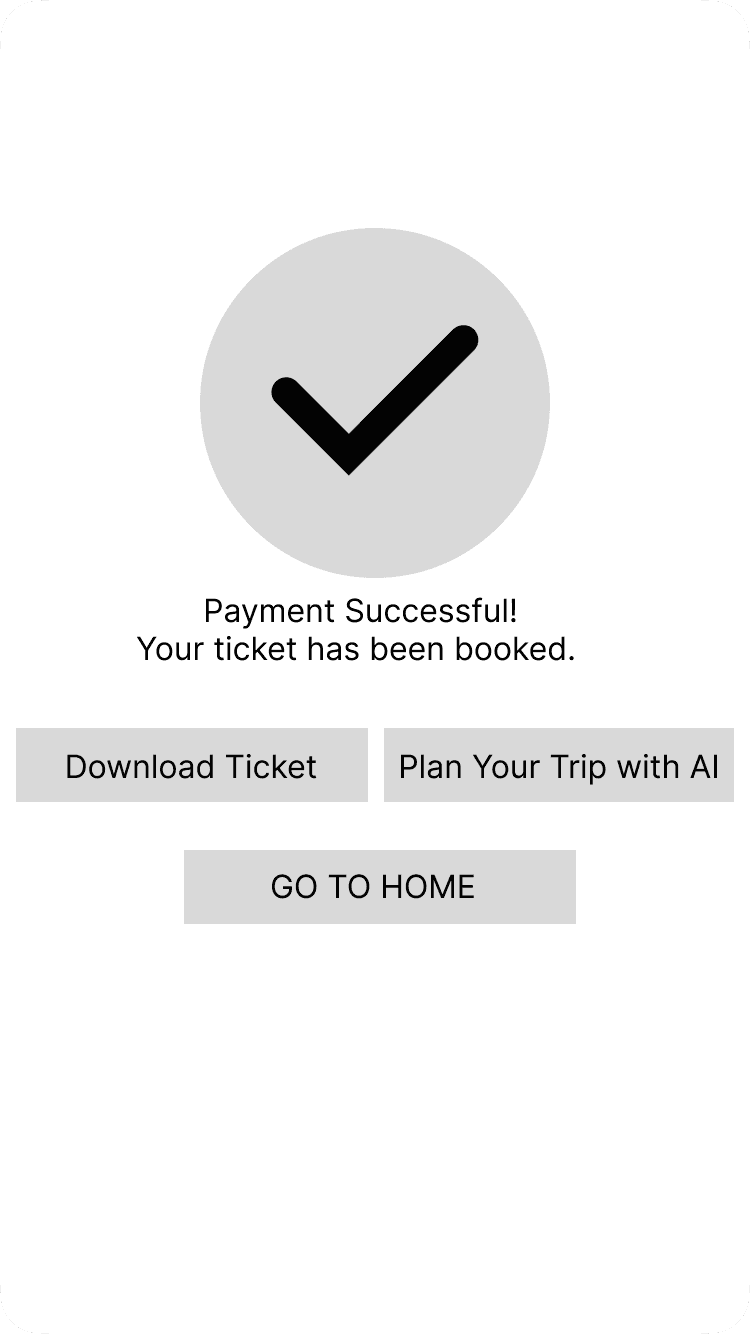
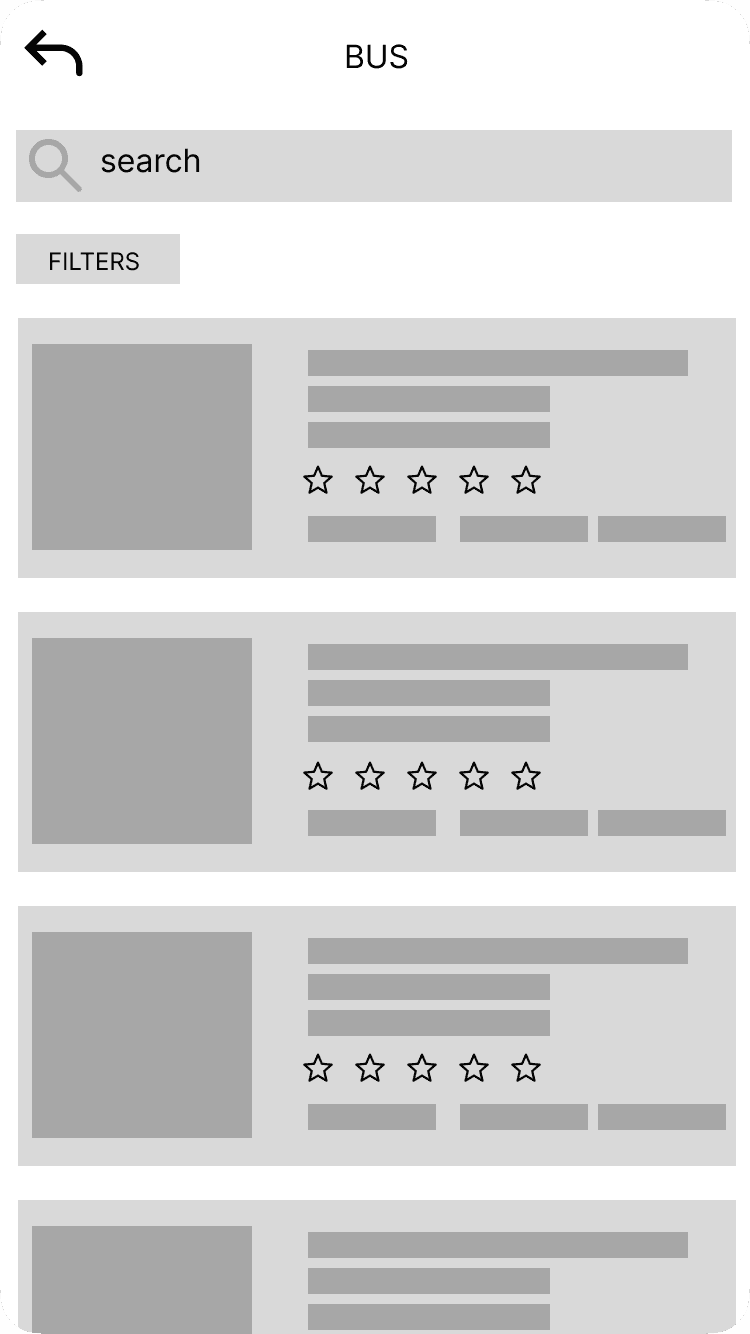
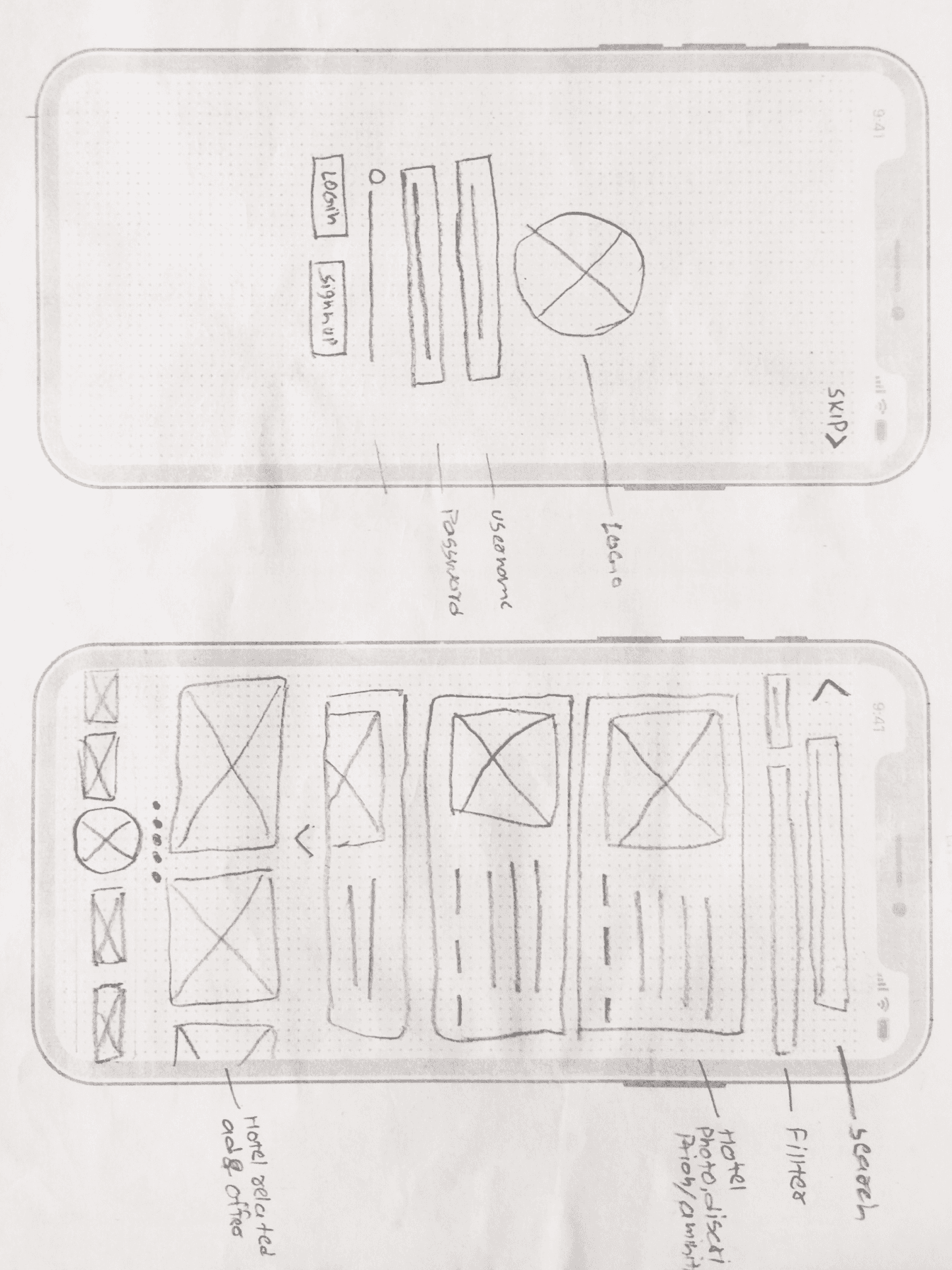
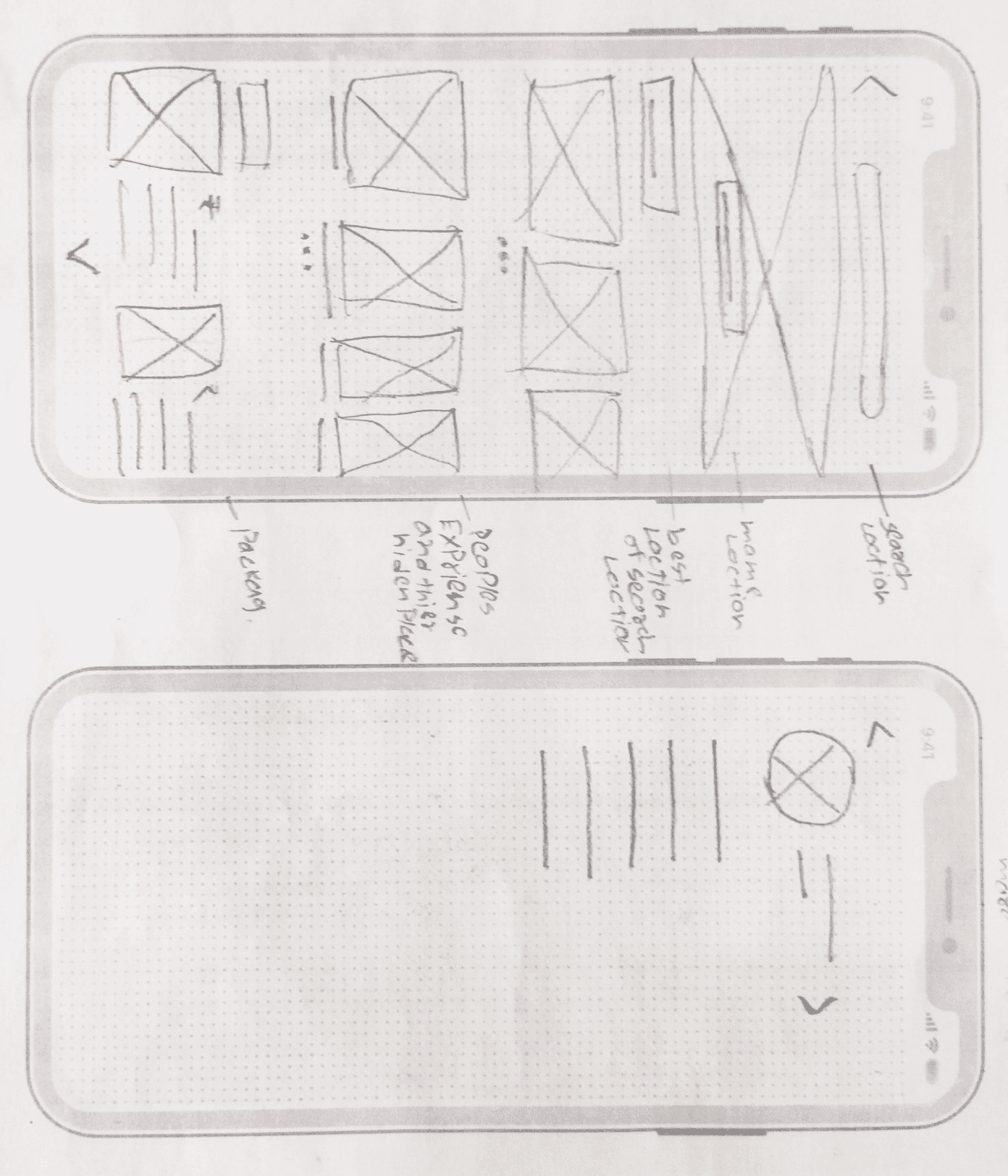
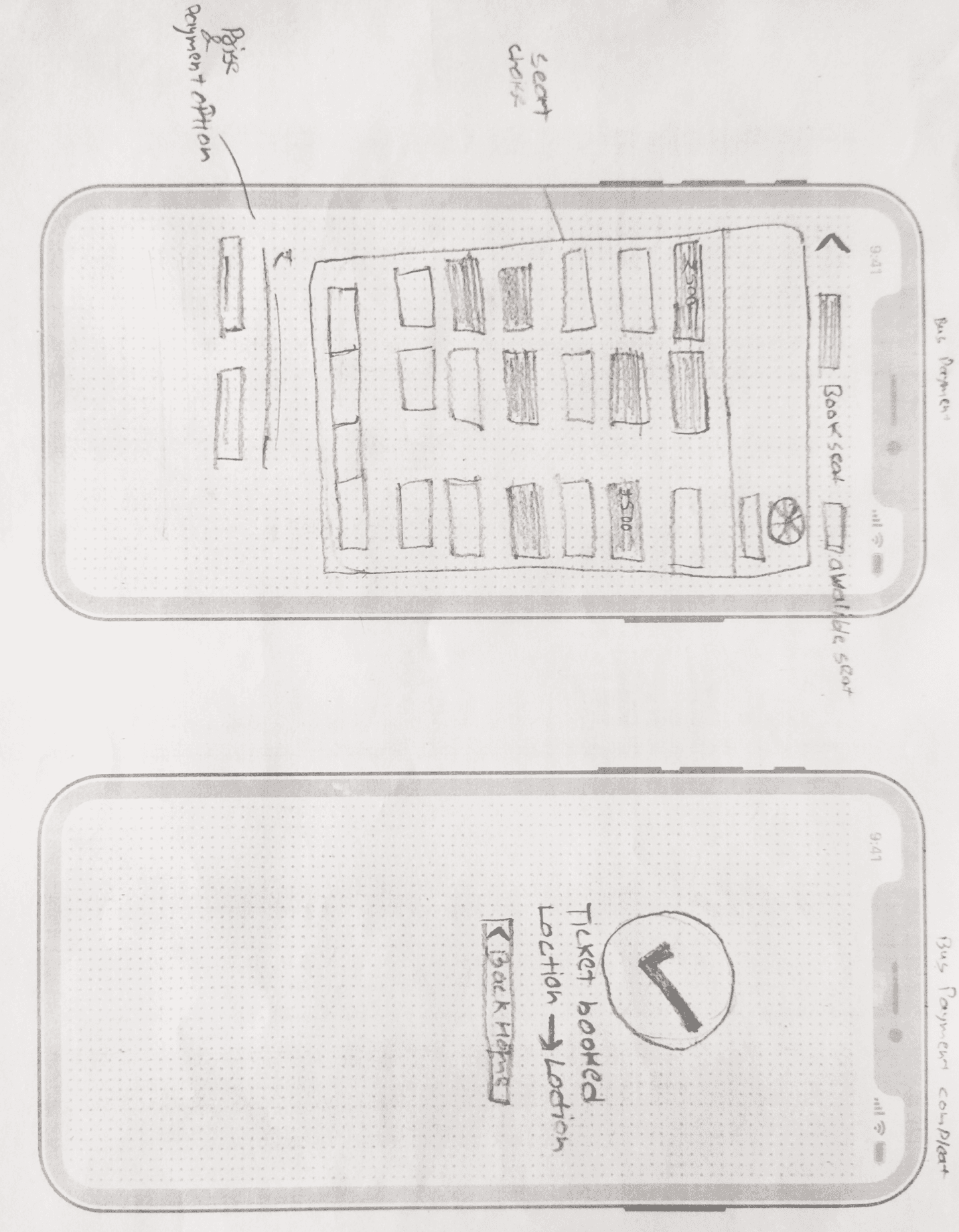
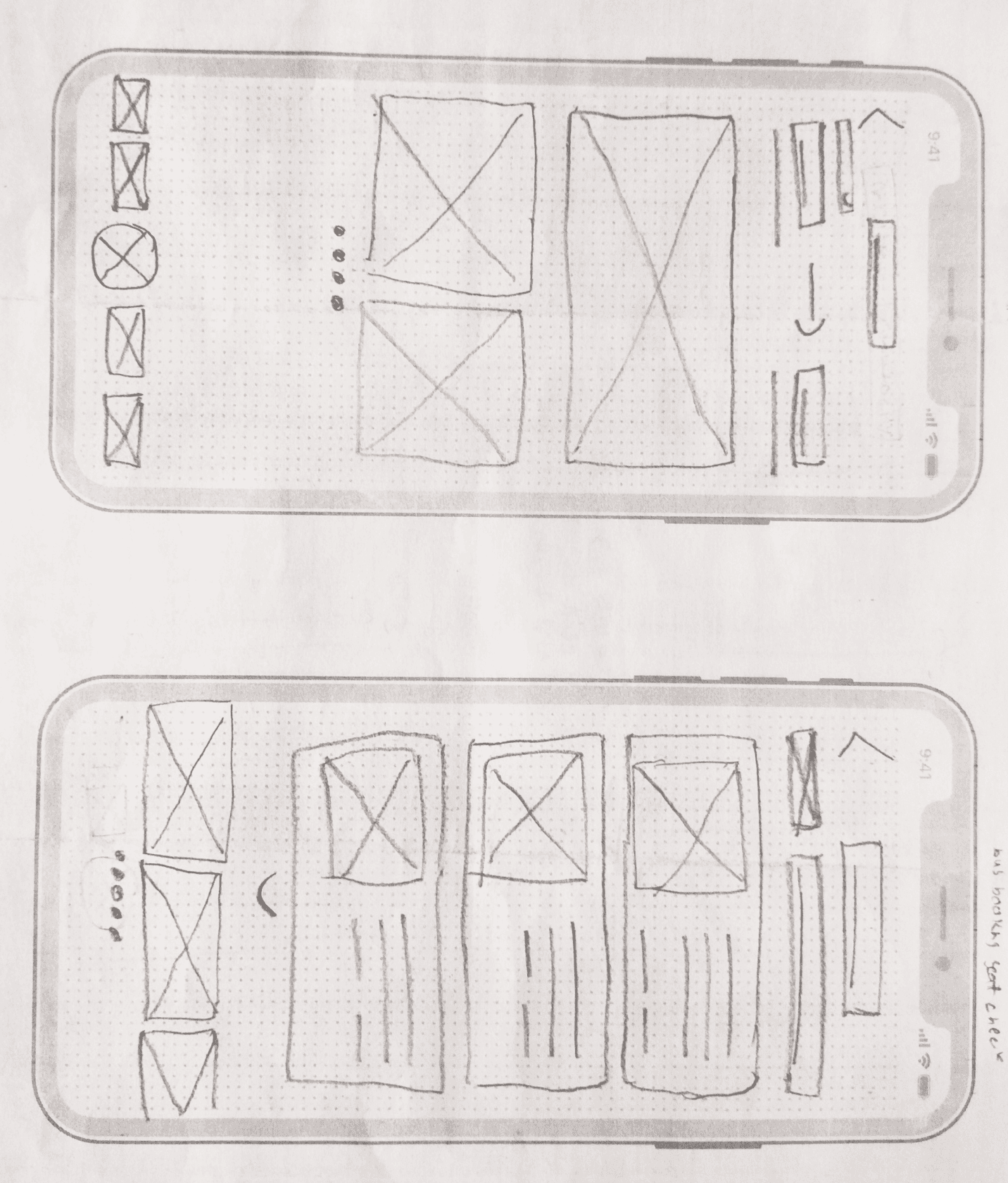
Once the final sketch layout was completed, it was time to incorporate those ideas into wireframes. To help visualize how the app should be structured, I created low-fidelity and High-fidelity wireframes for the main pages.
Prototype
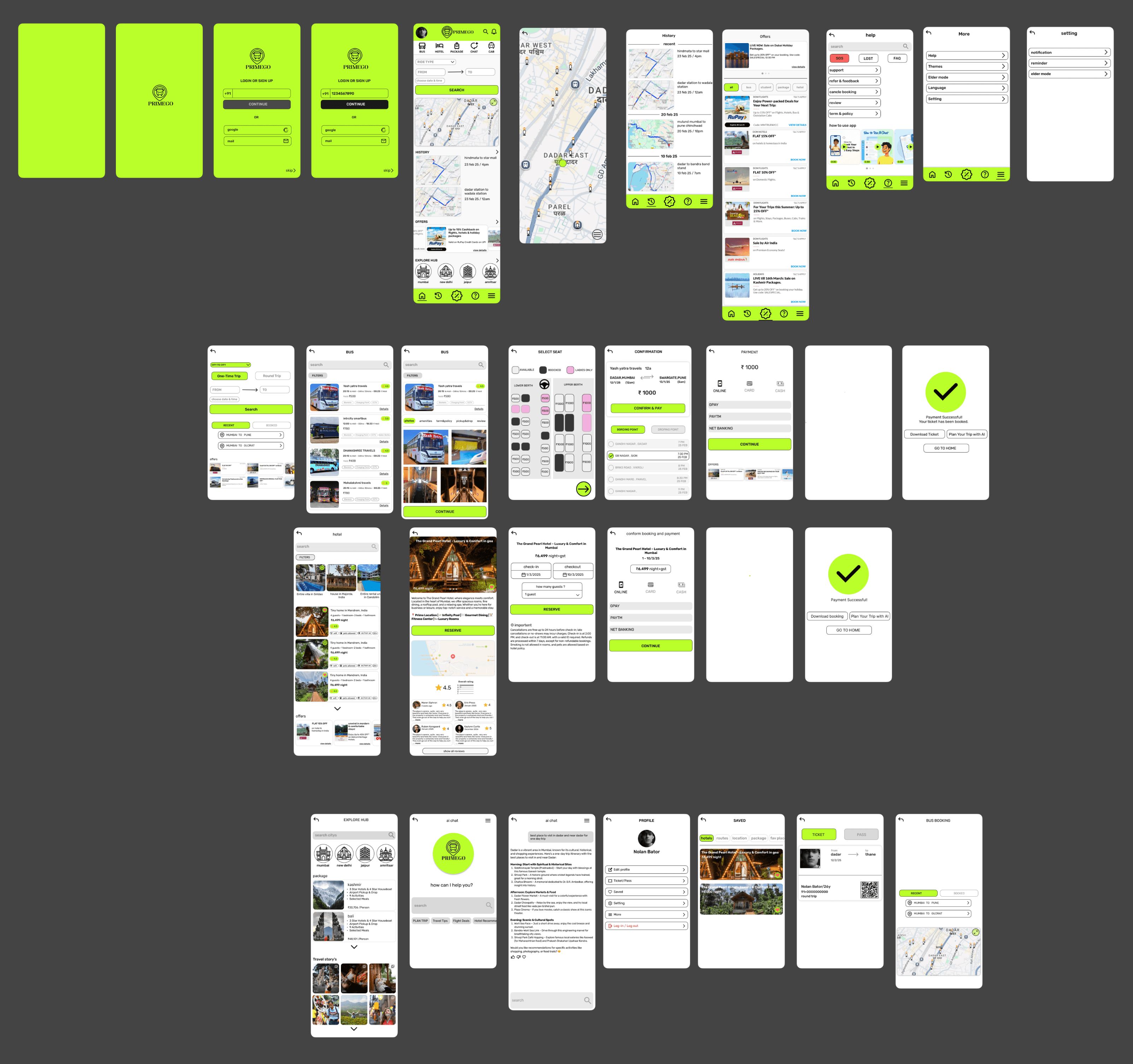
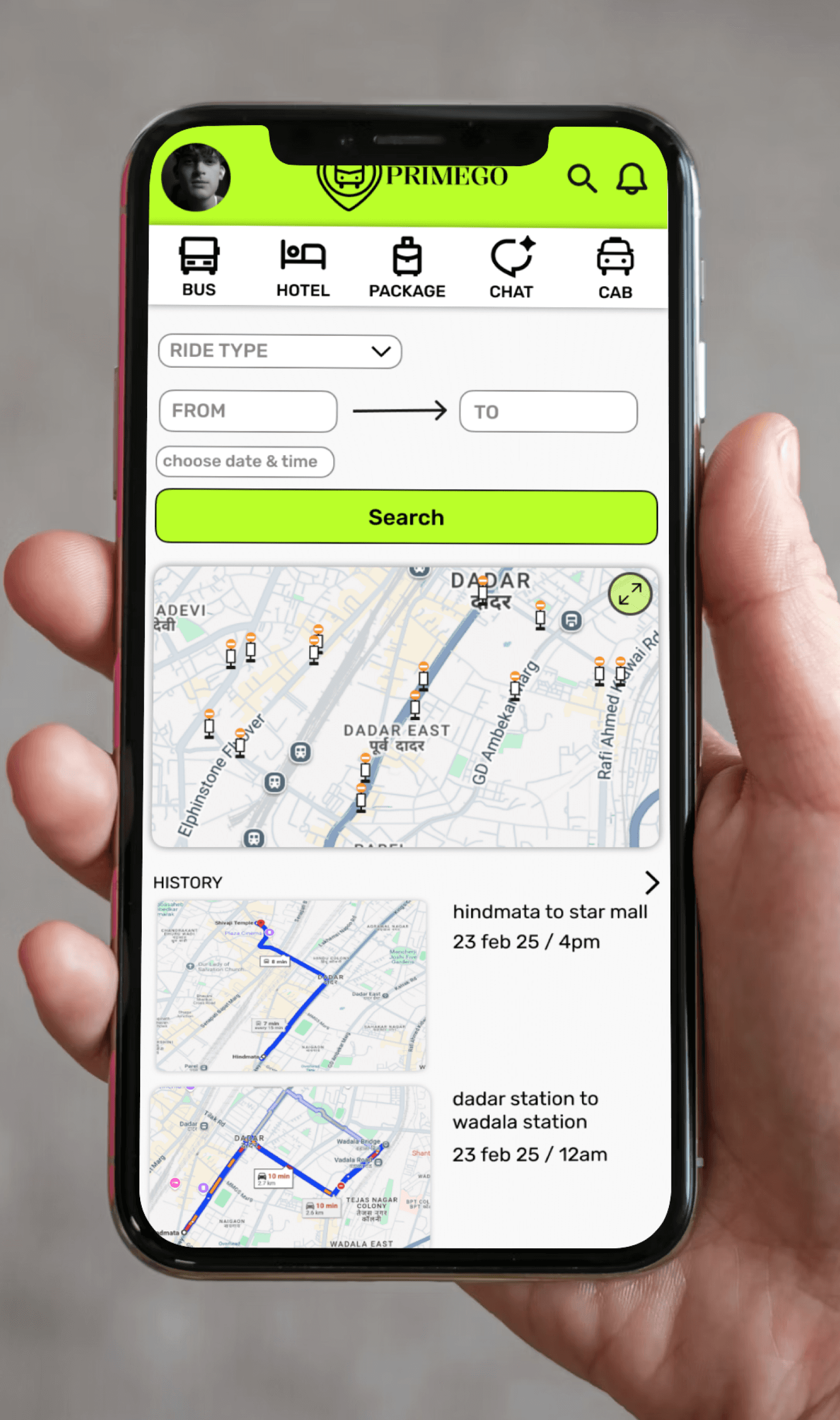
After completing the wireframes, I created a high-fidelity prototype to demonstrate the app’s overall flow, visual hierarchy, and interactions. The goal was to test usability, navigation, and visual consistency before final development. In this project, I designed 20+ interactive screens to ensure a complete user experience from booking to confirmation.
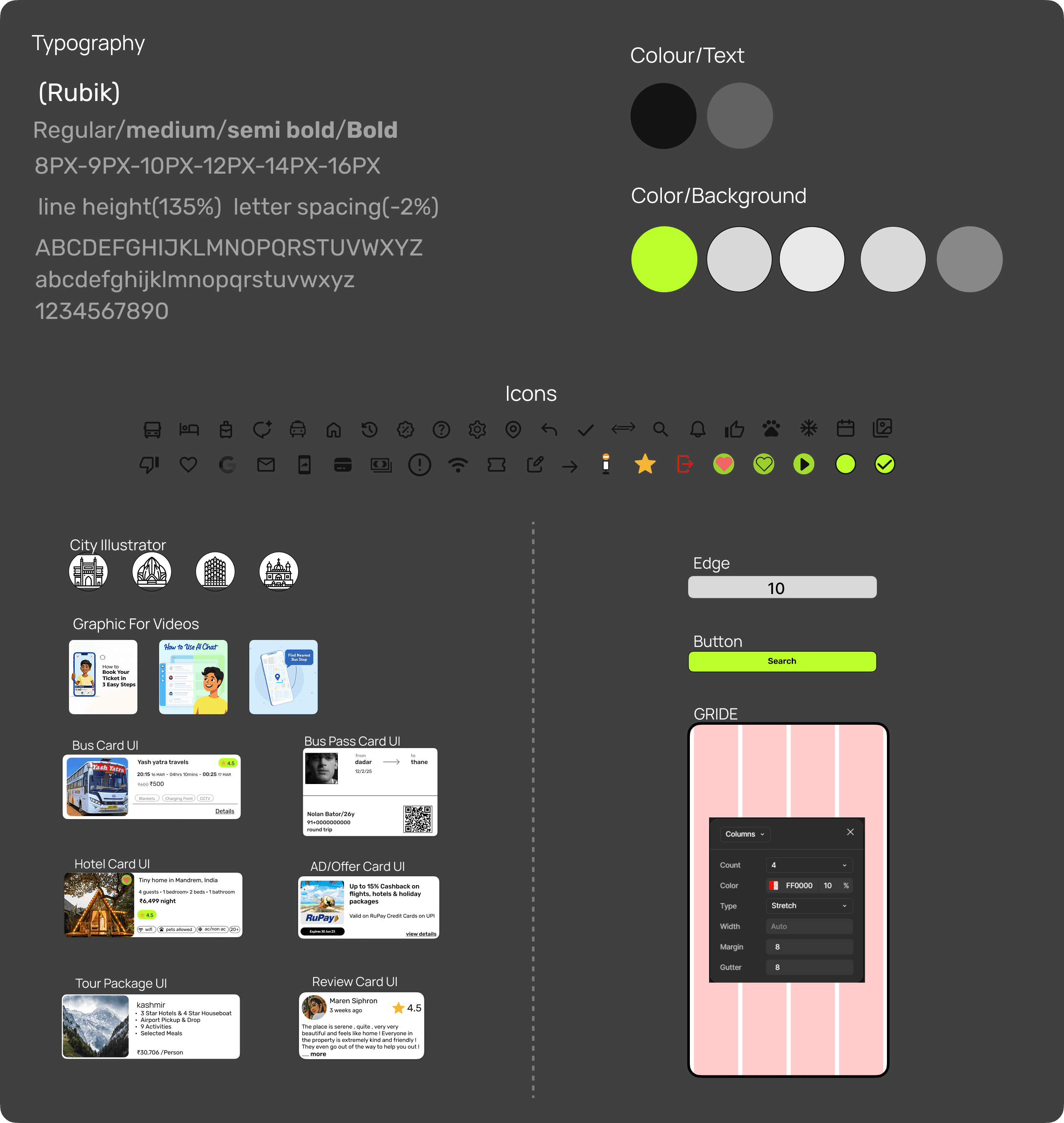
Sticker Sheet
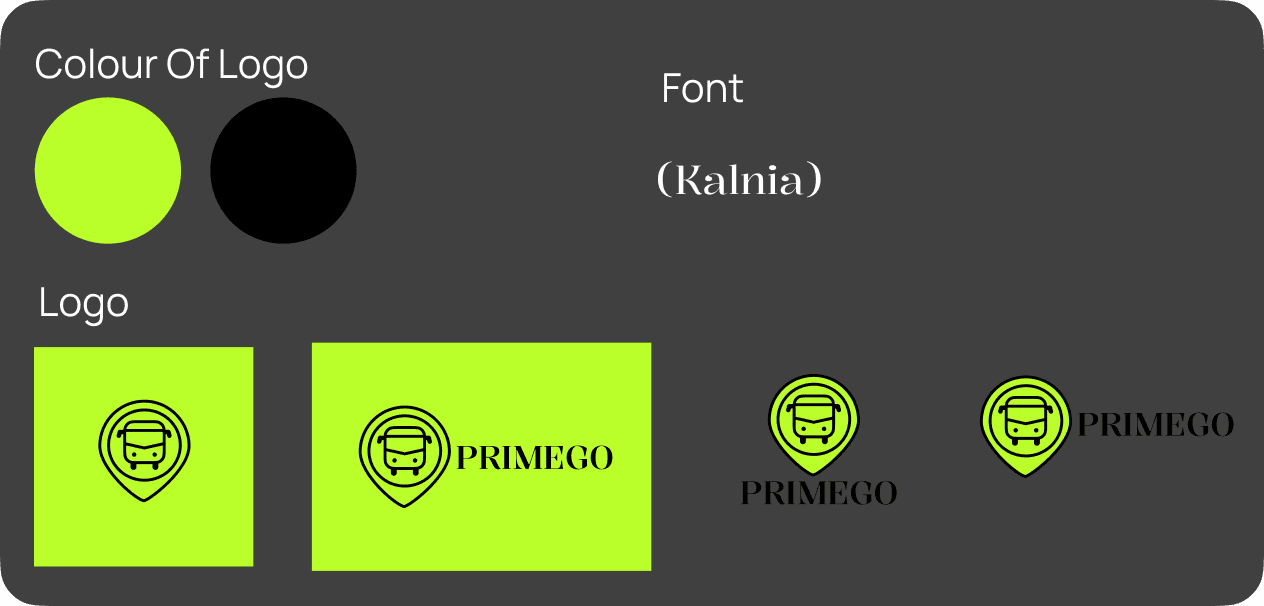
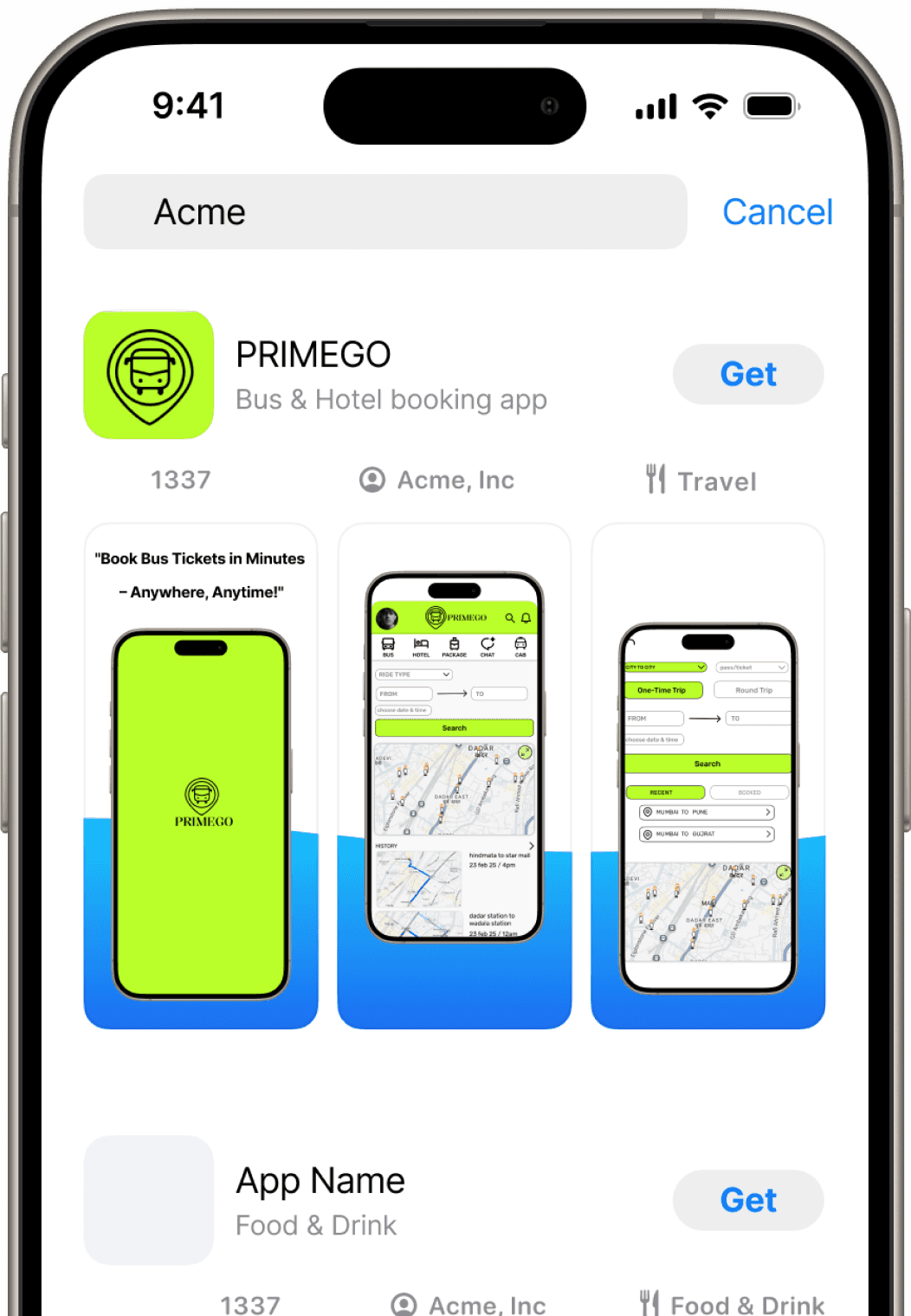
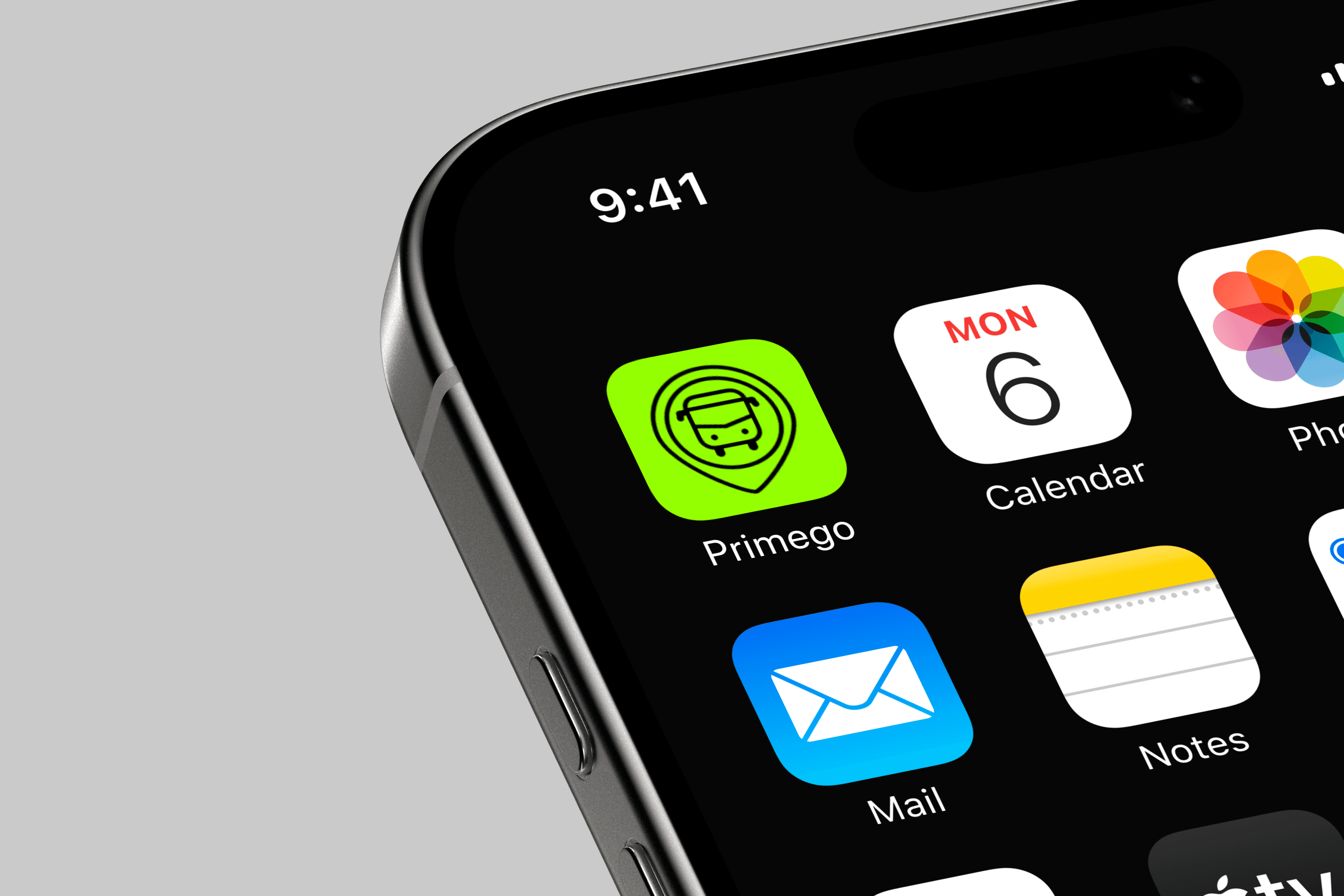
Brand Logo
Accessibility
PRIMEGO
Contrast Ratio
15.28:1
Passes AAA level
Adjustable Font Size
“To enhance usability for elderly users, I included an accessibility option that increases text size when enabled, improving readability and comfort.”
If I had more time on the project — I Conduct ↘
Interview • Usability Study • Synthesize & Analyze
I would conduct user interviews and usability studies to gather insights, then synthesize and analyze the findings. Based on feedback, I’d refine the UI and microinteractions to create a more user-centered experience.
What I Learned ↘
Through this first project, I learned how to plan a complete design process, apply UX principles, and create visually balanced UI screens. It improved my workflow, problem-solving, and understanding of user-centered design.
2026 Mayur Mhetar. All Rights Reserved.
Back To Top
Bus & Hotel Booking App
“A walkthrough of my end-to-end mobile app design process for Primego.”
Process Highlight
Overview
“The app allows users to conveniently book bus tickets and hotel stays in one platform, making it accessible for all age groups.”
Platform
Mobile app
Project Duration
3 Month
My Role
User Experience Design
User Interface Design
Team Composition
Individual project
Responsibilities
Research
Competitive analysis
Personas
Journey map
IA
Wireframes
Prototypes
Branding
UI Design
Tools used
Figma
Chatgpt
Google Form
Notion
Figjam
Whimsical
Problem
Users are forced to juggle multiple apps because no single platform offers both intercity and local bus booking in one place.
Solution
A single platform that allows users to book both intercity and local buses, along with hotel reservations, would eliminate the need for multiple travel apps.
Design goals
Create an intuitive, time-efficient interface with easily accessible features, ensuring seamless navigation for users of all age groups.
The Process
1
Resarch
2
Define
3
Ideation
4
Prototype
User Survay
Objective
The goal of the survey was to understand how users currently book bus tickets and hotels, their challenges during the process, and what features they expect from an all-in-one platform.
Number of participants
3 Responses collected via Google Forms
Insight
A total of 17 questions were included in the survey — 7 short (one-word/choice-based) questions and 10 open-ended questions to gather both quantitative and qualitative insights. Since I couldn’t conduct user interviews due to time constraints, I included open-ended questions in the survey to collect more detailed feedback and understand user pain points effectively.
The survey revealed that users rely on bus apps for both intra-city and intercity travel, primarily for booking tickets, checking schedules, and live tracking. While navigation is generally smooth, users reported confusion with certain features, occasional technical issues, and inconsistent live tracking. Most users expressed a desire for improved clarity, better support, and additional features to enhance convenience and usability. These insights highlight key areas to focus on for solving commuter pain points and improving the overall app experience.
Your age
How often do you use the bus?
How easy is it to navigate the
app?
which bus app you use ?
Which features of the app do you use most frequently?
How reliable is the live bus tracking feature?
How satisfied are you with the app’s loading
speed?
User Interview
Objective
“To understand user pain points and expectations in deeper context, I prepared an interview questionnaire for 1:1
conversations.”
Prepared Open-ended Interview Questions:
1 Can you describe how often and why you use bus apps for within-city trips?
2 Can you describe how often and why you use bus apps for city-to-city trips?
3 Do you currently use more than one bus app? If yes, can you explain which ones and why you choose each?
4 What are the features you use most in each app, and how do they help you in your travel experience?
5 Can you share an example of something you find really helpful or convenient in the bus app(s) you use?
6 What challenges or frustrations do you face when using multiple apps for different types of bus travel?
7 How do you usually decide which bus to take for intra-city and intercity journeys, and what tools or apps help you with that?
8 Are there any features, information, or improvements you wish were available in a single bus app that could cover both city and intercity travel?
9 Have you ever stopped using a bus app? If yes, can you explain what made you stop and how it affected your travel?
10 When traveling by bus, what information or support do you find most important, and does it differ for city vs intercity travel?
11 If you could design your ideal bus app that handles both city and intercity travel, what would it look like and what would it do for you?
Note
“Due to time and access limitations, the prepared interview questions were not conducted with users. However, the insights from the survey and secondary research helped guide the design decisions.”
Target audience
Frequent travelers aged 18–45
Number of interviews
Planned for 5 participants
“To understand existing solutions, identify gaps, and discover opportunities to improve the user experience of booking buses app.”
Compatetive Analysis
Competitor
Focus
In City
In City
Inter-city (city-to-city)
Inter-city (city-to-city)
+ other travel services
Inter-city + full
travel platform:
Strengths
+ Live bus tracking, 9 languages,
clean UI
+ SOS feature & pass purchasing
+ Premium feel, seat selection, ride
history & tracking
+ Video guide for help is standout
+ Wide inter-city options, seat selection,
tracking, language support
+ Clear icons, bold CTAs and strong brand identity
+ Modern UI, strong layout, integrated travel
options (buses + flights + hotels)
+ Good service positioning for travelers & families
+ Visually appealing, well-structured, all-in-one
travel platform (buses, hotels, flights)
+ Loyalty programs, AI trip-planner features
Weaknesses
– Limited offline usability
– Doesn’t support “Select from map”
for bus stops; clutter for new users
– No pickup/drop map for routes
– Only in English; route map inside app
– Too much information on interface (may overwhelm)
– Lacks universal search or quick access to support
– Too many features may confuse first-time users (overload)
– Only English; lacks accessibility adjustments (screen reader, font sizes)
– Homepage and flow can feel cluttered due to heavy promotions & offers
– Deep navigation may confuse new users; accessibility lacking
Insight
“Existing apps are either overloaded or too limited, forcing users to switch between different platforms for local and intercity buses. I saw an opportunity to create a unified, cleaner booking experience with simplified navigation.”
Says
“This app is useful but the latest update made navigation harder.”
“Not reliable — I wasted time waiting for the bus.”
“I can’t find customer support easily.”
Thinks
App updates should improve, not reduce usability.
Customer support must be easy to reach.
Bookings should be accurate and reliable.
Apps should save time and effort.
Feels
Frustrated with technical glitches and poor service.
Disappointed by unreliable updates.
Annoyed when support isn’t accessible.
Feels cheated when time or money is wasted.
Does
Tries to navigate despite issues or considers alternatives.
Contacts support or posts negative feedback.
Searches for help or abandons the app.
Warns others through reviews.
Insight
“Through empathy mapping based on survey insights and app reviews, I uncovered deep frustrations around unreliable services, poor support access, and confusing updates. Users strongly desired a smoother, more trustworthy, and time-efficient booking experience. These insights directly shaped the key design goals and product opportunities for the app.”
Empathy Map
“Based on user surveys and app review analysis, I created an empathy map to understand real user thoughts, emotions, and actions.”
User Persona
Based on my user research and survey responses, I created three personas. Out of the three personas, I focused on one key personas that represent the main user segments — daily local commuters and frequent intercity travelers.
Priya Sinha (27)
Andheri, Mumbai
Sales Manager
Priya is a professional who frequently travels between cities for work. She values punctuality, safety, and smooth booking experiences. She says, "I need a reliable app to book and track intercity buses without worrying about delays."
Frustrations:
Lack of live updates.
Limited comfortable options during peak hours.
Goals:
Book buses easily and quickly.
Get real-time delay or cancellation alerts.
Insights
Priya values punctual, safe, and comfortable travel, preferring apps that make booking simple and reliable.
User Stories
As a woman traveling at night, I want a safety feature (e.g., SOS button or live location sharing), so I can feel secure during my journey.
User Journy Map
To understand how users interact with the app and identify pain points, I created three user journeys based on different personas. Below is a key journey that represents a primary scenario for safe intercity travel.
Priya Sinha
Plans a late-night business trip.
Stage
Actions
Task List
Feeling
Improvement
Awareness
Plans a late-night
business trip.
- Open the app to search for intercity buses.
- Check travel schedules.
Highlight buses with safety features like CCTV and verified drivers.
Consideration
Reviews bus options and
selects the safest route.
- Compare options based on timing and comfort.
- Enable safety features.
Add a "Safety Rating" feature for night buses based on user feedback.
Engagement
Uses the app to
share her location.
- Enable live location sharing.
- Familiarize herself with the SOS button.
Provide periodic safety notifications during the journey.
Resolution
Completes the journey and
reaches the destination.
- Rate the service.
- Notify her contacts of her safe arrival.
Include an automatic notification system for arrival alerts.
Reflection
Considers using the app for
future travel.
- Save the route for future trips.
- Browse similar routes for convenience.
Offer personalized route suggestions for frequent destinations.
Storie Board (big & small picture )
User Flow
Informatioan Architecture (IA)
To visualize how users interact with the bus booking app in real-life scenarios — from identifying their travel needs to completing their journey — highlighting key pain points, emotions, and opportunities for design improvement.
After completing the user flow, I created the Information Architecture to define the overall structure of the app.
Rapid Sketching
Final Sketch Layout
Wireframe (Lofi & Hifi)
Once the final sketch layout was completed, it was time to incorporate those ideas into wireframes. To help visualize how the app should be structured, I created low-fidelity and High-fidelity wireframes for the main pages.
Prototype
After completing the wireframes, I created a high-fidelity prototype to demonstrate the app’s overall flow, visual hierarchy, and interactions. The goal was to test usability, navigation, and visual consistency before final development. In this project, I designed 20+ interactive screens to ensure a complete user experience from booking to confirmation.
Sticker Sheet
Brand Logo
Accessibility
PRIMEGO
Contrast Ratio
15.28:1
Passes AAA level
Adjustable Font Size
“To enhance usability for elderly users, I included an accessibility option that increases text size when enabled, improving readability and comfort.”
If I had more time on the project — I Conduct ↘
Interview • Usability Study • Synthesize & Analyze
I would conduct user interviews and usability studies to gather insights, then synthesize and analyze the findings. Based on feedback, I’d refine the UI and microinteractions to create a more user-centered experience.
What I Learned ↘
Through this first project, I learned how to plan a complete design process, apply UX principles, and create visually balanced UI screens. It improved my workflow, problem-solving, and understanding of user-centered design.
2026 Mayur Mhetar. All Rights Reserved.
Back To Top
Bus & Hotel Booking App
“A walkthrough of my end-to-end mobile app design process for Primego.”
Process Highlight
Overview
“The app allows users to conveniently book bus tickets and hotel stays in one platform, making it accessible for all age groups.”
Platform
Mobile app
Project Duration
3 Month
My Role
User Experience Design
User Interface Design
Team Composition
Individual project
Responsibilities
Research
Competitive analysis
Personas
Journey map
IA
Wireframes
Prototypes
Branding
UI Design
Tools used
Figma
Chatgpt
Google Form
Notion
Figjam
Whimsical
Problem
Users are forced to juggle multiple apps because no single platform offers both intercity and local bus booking in one place.
Solution
A single platform that allows users to book both intercity and local buses, along with hotel reservations, would eliminate the need for multiple travel apps.
Design goals
Create an intuitive, time-efficient interface with easily accessible features, ensuring seamless navigation for users of all age groups.
The Process
1
Resarch
2
Define
3
Ideation
4
Prototype
User Survay
Objective
The goal of the survey was to understand how users currently book bus tickets and hotels, their challenges during the process, and what features they expect from an all-in-one platform.
Number of participants
3 Responses collected via Google Forms
Insight
A total of 17 questions were included in the survey — 7 short (one-word/choice-based) questions and 10 open-ended questions to gather both quantitative and qualitative insights. Since I couldn’t conduct user interviews due to time constraints, I included open-ended questions in the survey to collect more detailed feedback and understand user pain points effectively.
The survey revealed that users rely on bus apps for both intra-city and intercity travel, primarily for booking tickets, checking schedules, and live tracking. While navigation is generally smooth, users reported confusion with certain features, occasional technical issues, and inconsistent live tracking. Most users expressed a desire for improved clarity, better support, and additional features to enhance convenience and usability. These insights highlight key areas to focus on for solving commuter pain points and improving the overall app experience.
Your age
How often do you use the bus?
How easy is it to navigate the
app?
which bus app you use ?
Which features of the app do you use most frequently?
How reliable is the live bus tracking feature?
How satisfied are you with the app’s loading
speed?
User Interview
Objective
“To understand user pain points and expectations in deeper context, I prepared an interview questionnaire for 1:1
conversations.”
Prepared Open-ended Interview Questions:
1 Can you describe how often and why you use bus apps for within-city trips?
2 Can you describe how often and why you use bus apps for city-to-city trips?
3 Do you currently use more than one bus app? If yes, can you explain which ones and why you choose each?
4 What are the features you use most in each app, and how do they help you in your travel experience?
5 Can you share an example of something you find really helpful or convenient in the bus app(s) you use?
6 What challenges or frustrations do you face when using multiple apps for different types of bus travel?
7 How do you usually decide which bus to take for intra-city and intercity journeys, and what tools or apps help you with that?
8 Are there any features, information, or improvements you wish were available in a single bus app that could cover both city and intercity travel?
9 Have you ever stopped using a bus app? If yes, can you explain what made you stop and how it affected your travel?
10 When traveling by bus, what information or support do you find most important, and does it differ for city vs intercity travel?
11 If you could design your ideal bus app that handles both city and intercity travel, what would it look like and what would it do for you?
Note
“Due to time and access limitations, the prepared interview questions were not conducted with users. However, the insights from the survey and secondary research helped guide the design decisions.”
Target audience
Frequent travelers aged 18–45
Number of interviews
Planned for 5 participants
“To understand existing solutions, identify gaps, and discover opportunities to improve the user experience of booking buses app.”
Compatetive Analysis
Competitor
Focus
In City
In City
Inter-city (city-to-city)
Inter-city (city-to-city)
+ other travel services
Inter-city + full
travel platform:
Strengths
+ Live bus tracking, 9 languages,
clean UI
+ SOS feature & pass purchasing
+ Premium feel, seat selection, ride
history & tracking
+ Video guide for help is standout
+ Wide inter-city options, seat selection,
tracking, language support
+ Clear icons, bold CTAs and strong brand identity
+ Modern UI, strong layout, integrated travel
options (buses + flights + hotels)
+ Good service positioning for travelers & families
+ Visually appealing, well-structured, all-in-one
travel platform (buses, hotels, flights)
+ Loyalty programs, AI trip-planner features
Weaknesses
– Limited offline usability
– Doesn’t support “Select from map”
for bus stops; clutter for new users
– No pickup/drop map for routes
– Only in English; route map inside app
– Too much information on interface (may overwhelm)
– Lacks universal search or quick access to support
– Too many features may confuse first-time users (overload)
– Only English; lacks accessibility adjustments (screen reader, font sizes)
– Homepage and flow can feel cluttered due to heavy promotions & offers
– Deep navigation may confuse new users; accessibility lacking
Insight
“Existing apps are either overloaded or too limited, forcing users to switch between different platforms for local and intercity buses. I saw an opportunity to create a unified, cleaner booking experience with simplified navigation.”
Says
“This app is useful but the latest update made navigation harder.”
“Not reliable — I wasted time waiting for the bus.”
“I can’t find customer support easily.”
Thinks
App updates should improve, not reduce usability.
Customer support must be easy to reach.
Bookings should be accurate and reliable.
Apps should save time and effort.
Feels
Frustrated with technical glitches and poor service.
Disappointed by unreliable updates.
Annoyed when support isn’t accessible.
Feels cheated when time or money is wasted.
Does
Tries to navigate despite issues or considers alternatives.
Contacts support or posts negative feedback.
Searches for help or abandons the app.
Warns others through reviews.
Insight
“Through empathy mapping based on survey insights and app reviews, I uncovered deep frustrations around unreliable services, poor support access, and confusing updates. Users strongly desired a smoother, more trustworthy, and time-efficient booking experience. These insights directly shaped the key design goals and product opportunities for the app.”
Empathy Map
“Based on user surveys and app review analysis, I created an empathy map to understand real user thoughts, emotions, and actions.”
User Persona
Based on my user research and survey responses, I created three personas. Out of the three personas, I focused on one key personas that represent the main user segments — daily local commuters and frequent intercity travelers.
Priya Sinha (27)
Andheri, Mumbai
Sales Manager
Priya is a professional who frequently travels between cities for work. She values punctuality, safety, and smooth booking experiences. She says, "I need a reliable app to book and track intercity buses without worrying about delays."
Frustrations:
Lack of live updates.
Limited comfortable options during peak hours.
Goals:
Book buses easily and quickly.
Get real-time delay or cancellation alerts.
Insights
Priya values punctual, safe, and comfortable travel, preferring apps that make booking simple and reliable.
User Stories
As a woman traveling at night, I want a safety feature (e.g., SOS button or live location sharing), so I can feel secure during my journey.
User Journy Map
To understand how users interact with the app and identify pain points, I created three user journeys based on different personas. Below is a key journey that represents a primary scenario for safe intercity travel.
Priya Sinha
Plans a late-night business trip.
Stage
Actions
Task List
Feeling
Improvement
Awareness
Plans a late-night
business trip.
- Open the app to search for intercity buses.
- Check travel schedules.
Highlight buses with safety features like CCTV and verified drivers.
Consideration
Reviews bus options and
selects the safest route.
- Compare options based on timing and comfort.
- Enable safety features.
Add a "Safety Rating" feature for night buses based on user feedback.
Engagement
Uses the app to
share her location.
- Enable live location sharing.
- Familiarize herself with the SOS button.
Provide periodic safety notifications during the journey.
Resolution
Completes the journey and
reaches the destination.
- Rate the service.
- Notify her contacts of her safe arrival.
Include an automatic notification system for arrival alerts.
Reflection
Considers using the app for
future travel.
- Save the route for future trips.
- Browse similar routes for convenience.
Offer personalized route suggestions for frequent destinations.
Storie Board (big & small picture )
User Flow
Informatioan Architecture (IA)
To visualize how users interact with the bus booking app in real-life scenarios — from identifying their travel needs to completing their journey — highlighting key pain points, emotions, and opportunities for design improvement.
After completing the user flow, I created the Information Architecture to define the overall structure of the app.
Rapid Sketching
Final Sketch Layout
Wireframe (Lofi & Hifi)
Once the final sketch layout was completed, it was time to incorporate those ideas into wireframes. To help visualize how the app should be structured, I created low-fidelity and High-fidelity wireframes for the main pages.
Prototype
After completing the wireframes, I created a high-fidelity prototype to demonstrate the app’s overall flow, visual hierarchy, and interactions. The goal was to test usability, navigation, and visual consistency before final development. In this project, I designed 20+ interactive screens to ensure a complete user experience from booking to confirmation.
Sticker Sheet
Brand Logo
Accessibility
PRIMEGO
Contrast Ratio
15.28:1
Passes AAA level
Adjustable Font Size
“To enhance usability for elderly users, I included an accessibility option that increases text size when enabled, improving readability and comfort.”
If I had more time on the project — I Conduct ↘
Interview • Usability Study • Synthesize & Analyze
I would conduct user interviews and usability studies to gather insights, then synthesize and analyze the findings. Based on feedback, I’d refine the UI and microinteractions to create a more user-centered experience.
What I Learned ↘
Through this first project, I learned how to plan a complete design process, apply UX principles, and create visually balanced UI screens. It improved my workflow, problem-solving, and understanding of user-centered design.
2026 Mayur Mhetar. All Rights Reserved.
Back To Top